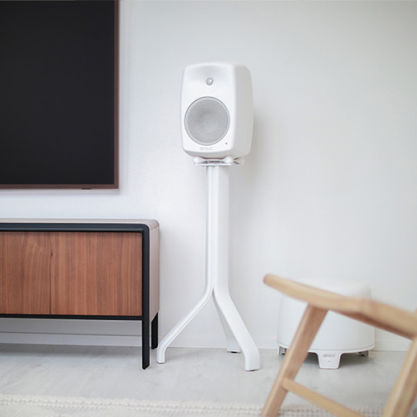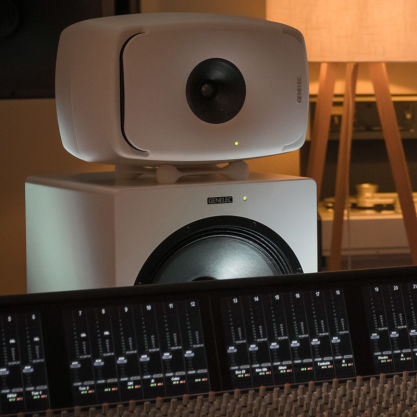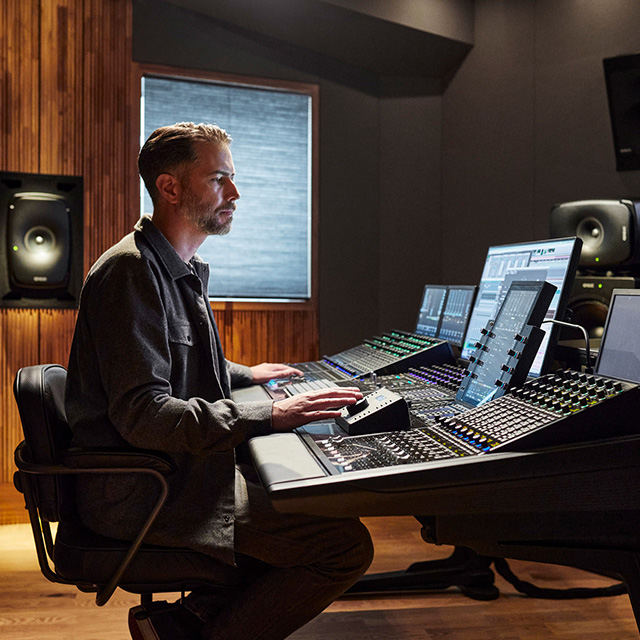
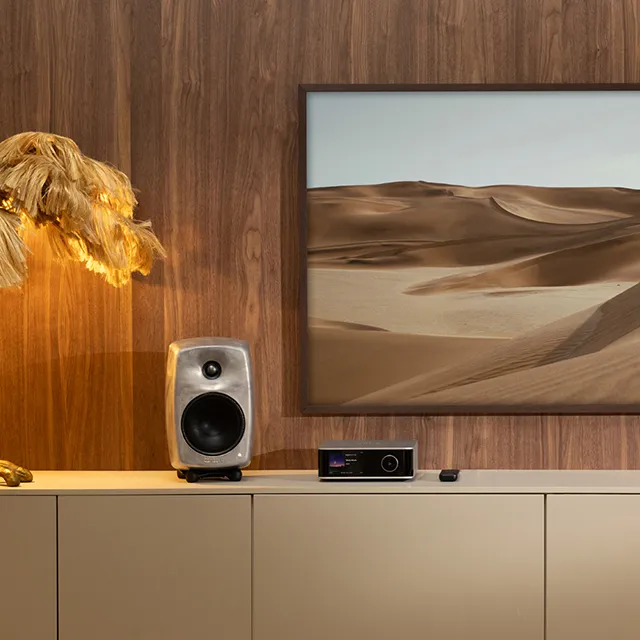


En matière de rapport performance/taille, le 8020 a établi la référence du monitoring de proximité depuis plus de 15 ans.
8020D
Moniteur de studio

Filtres actifs

Technologie Directivity Control Waveguide (DCW™)

Niveau SPL
100 dB

Réponse en fréquence
56 Hz - 25 kHz (-6 dB)

Dimensions
H 242 x W 148 x D 142 mm, avec Iso-Pod™ (voir en pouces)
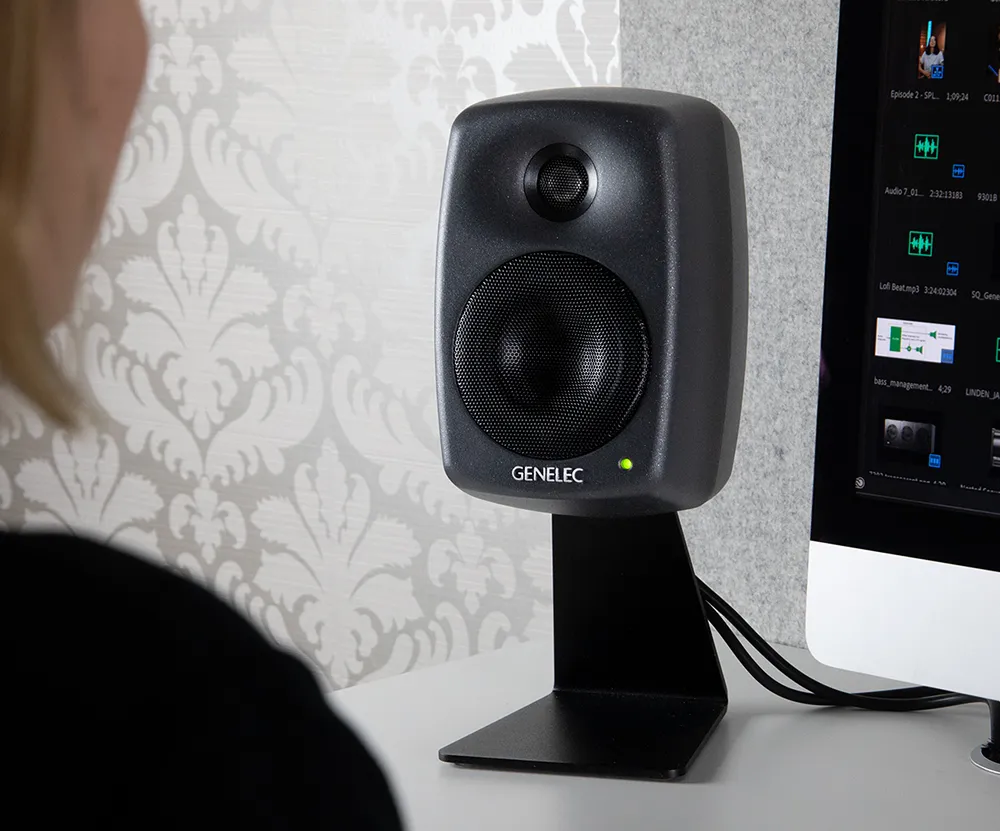
Design classique
Le 8020D est la dernière évolution de ce classique de studio, offrant un SPL encore plus élevé tout en consommant moins d’énergie que les versions précédentes. Conçu pour s’adapter à une large variété d’environnements d’écoute, le 8020D excelle lorsque l’espace est limité.
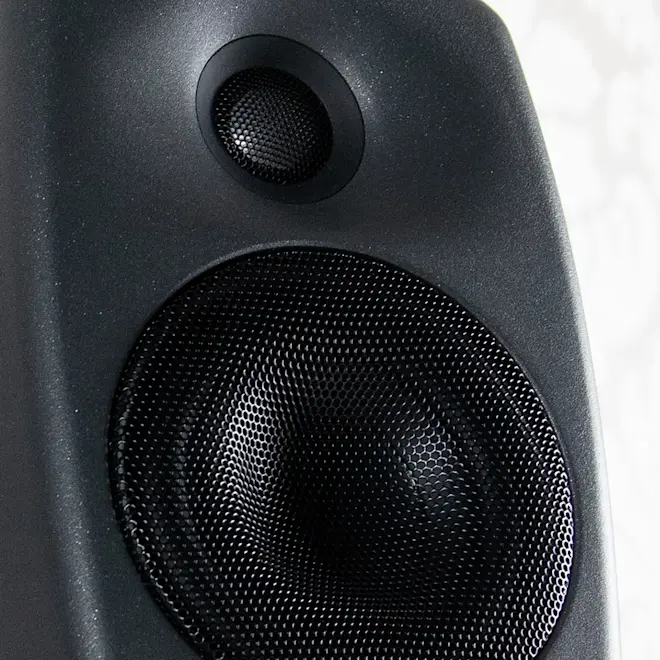
Transparent et fidèle
Les ingénieurs apprécient la reproduction transparente et fidèle du 8020D, et grâce à sa large zone d’écoute non colorée, vous êtes toujours en position de prendre des décisions de mixage précises et fiables. De plus, notre circuit Intelligent Signal Sensing (ISS™) détecte lorsque vous ne vous servez pas de votre moniteur et le place automatiquement en mode veille écoénergétique.
Genelec
Moniteur de studio 8020D gris foncé
Moniteur de studio 8020D blanc
Moniteur de studio 8020D noir
Moniteur de studio 8020D RAW

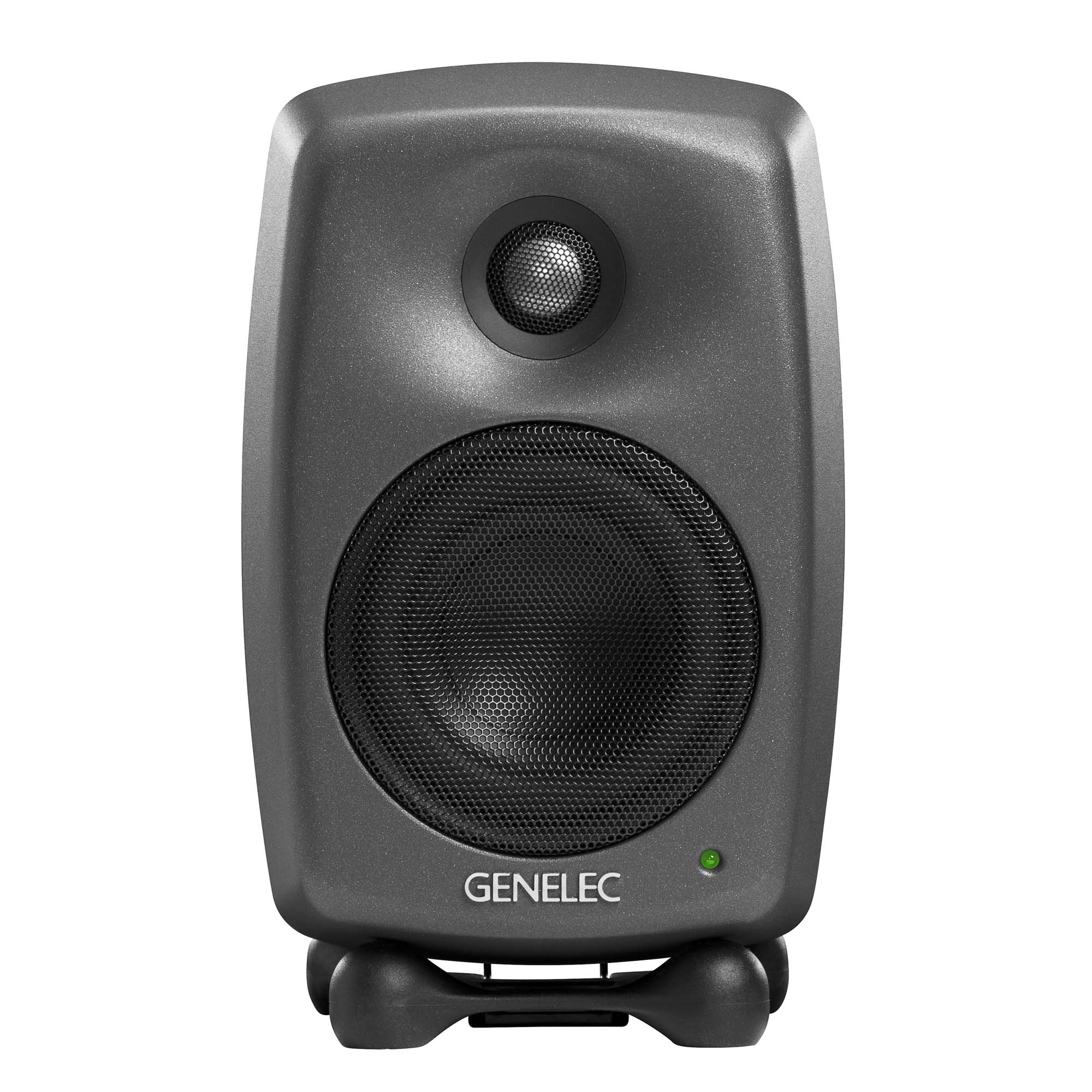


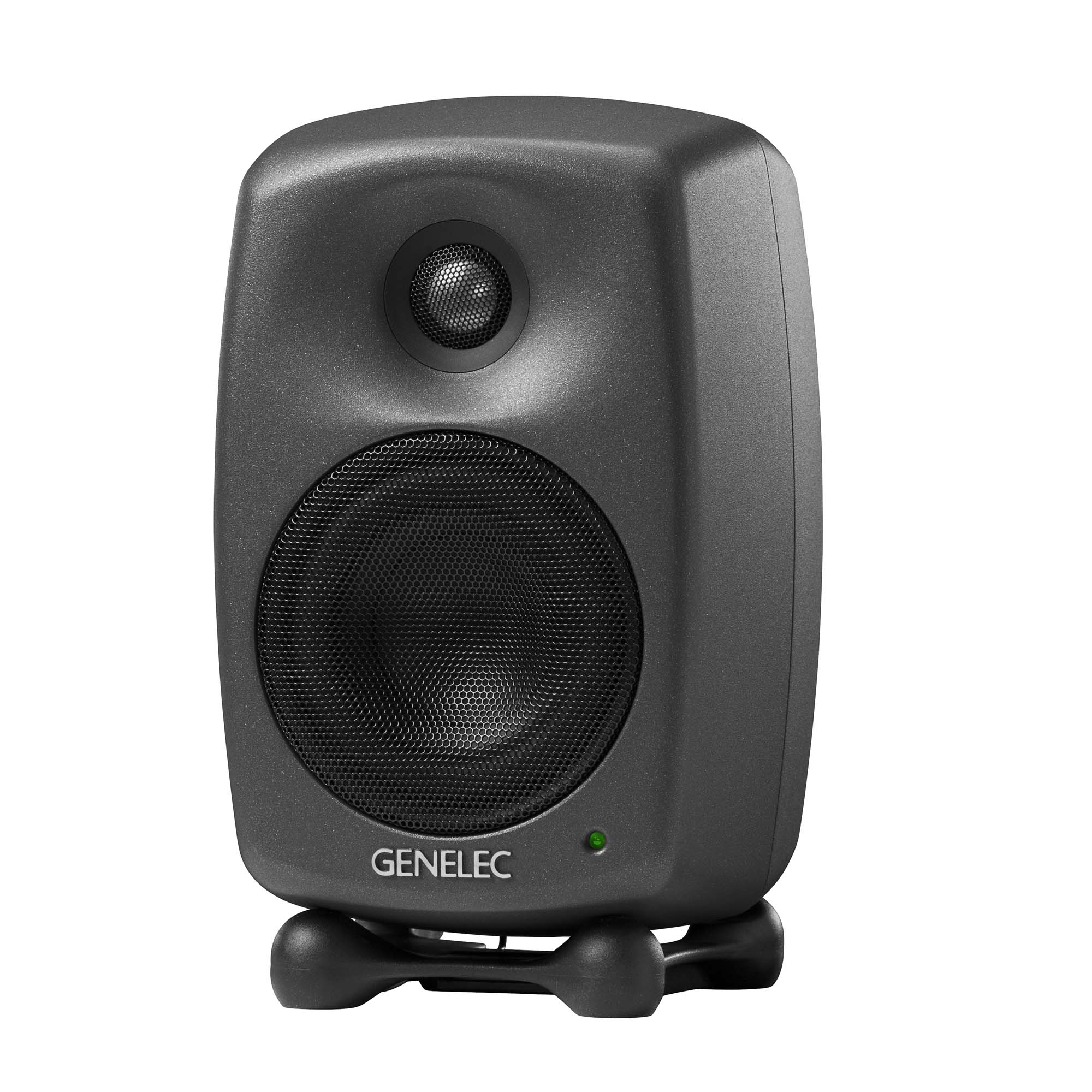
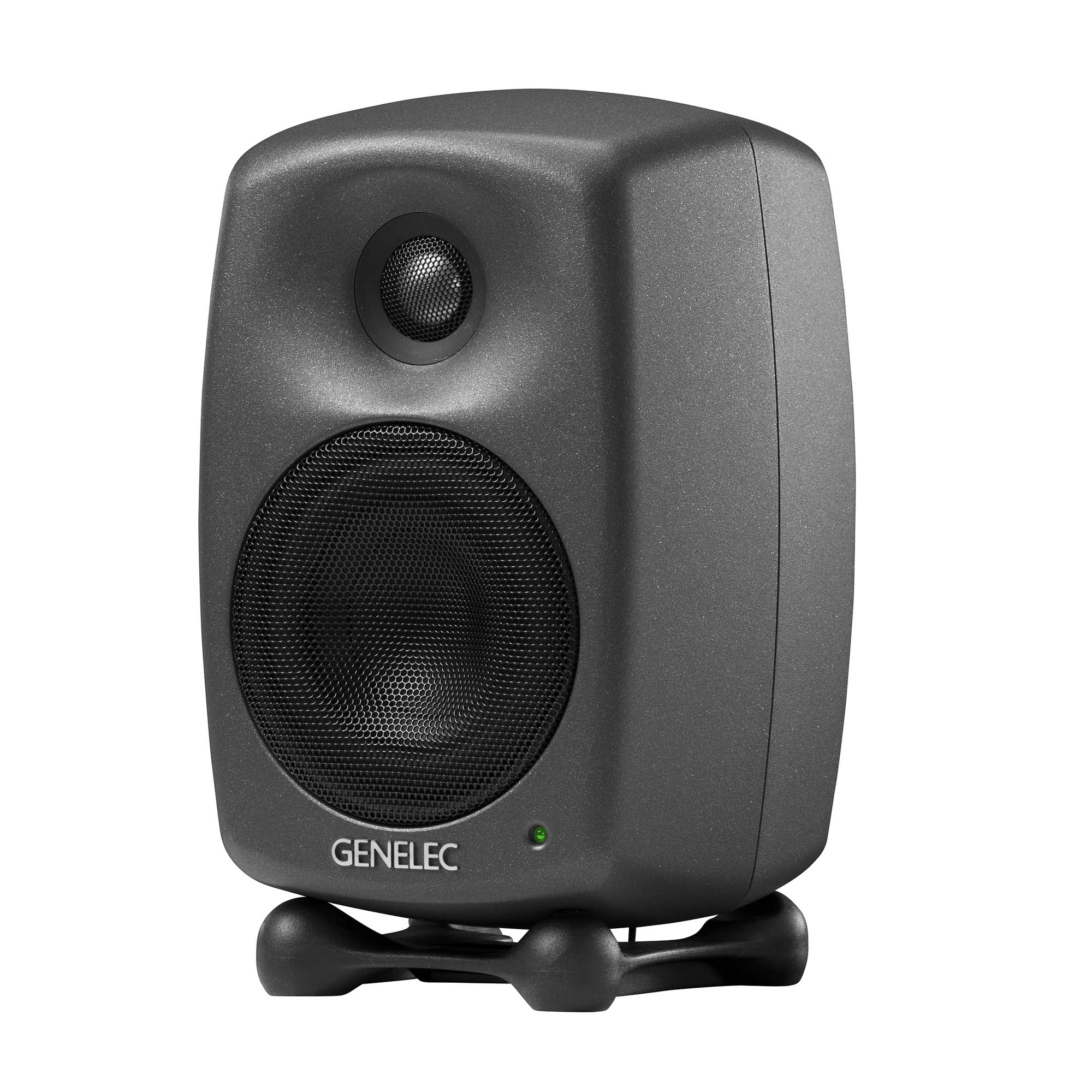
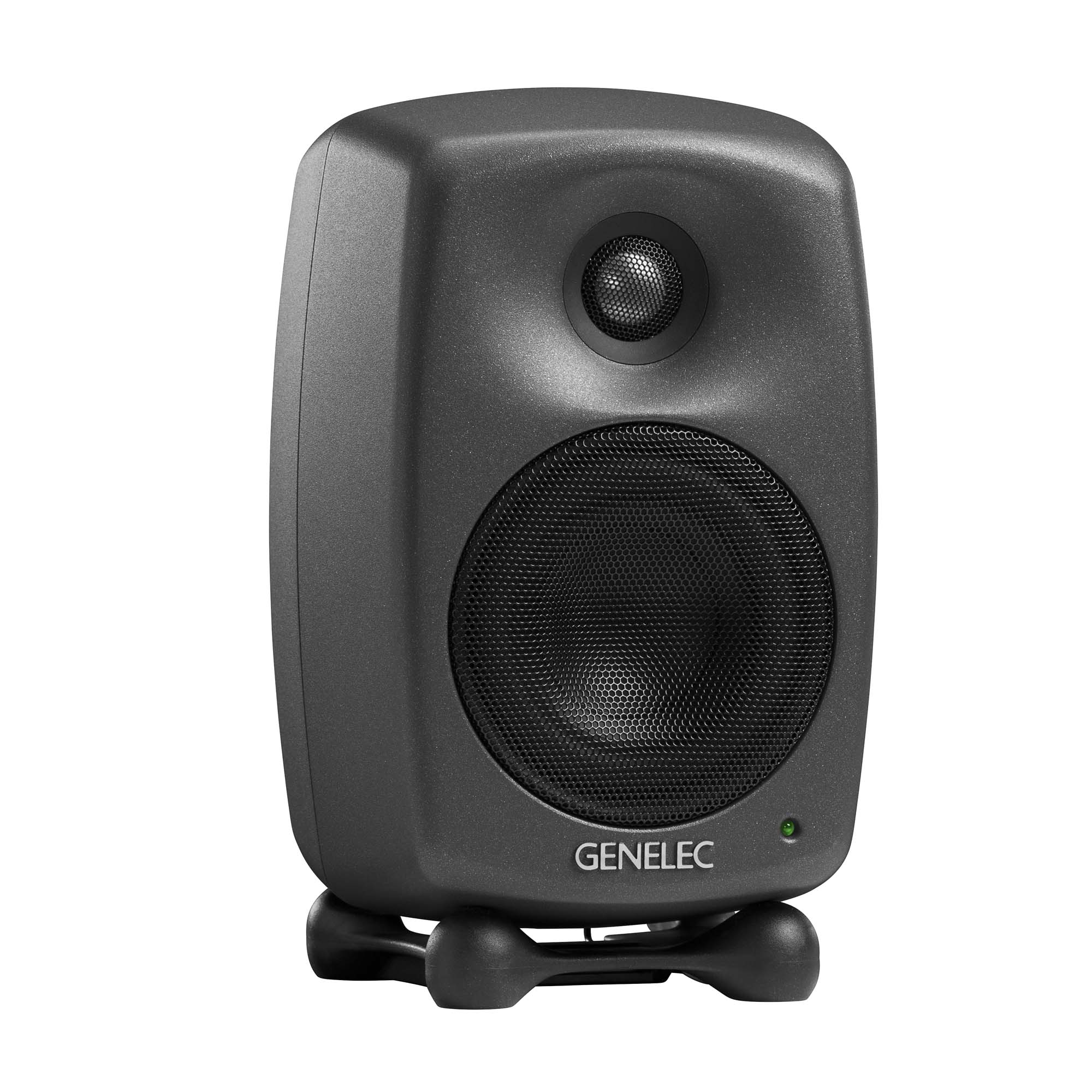

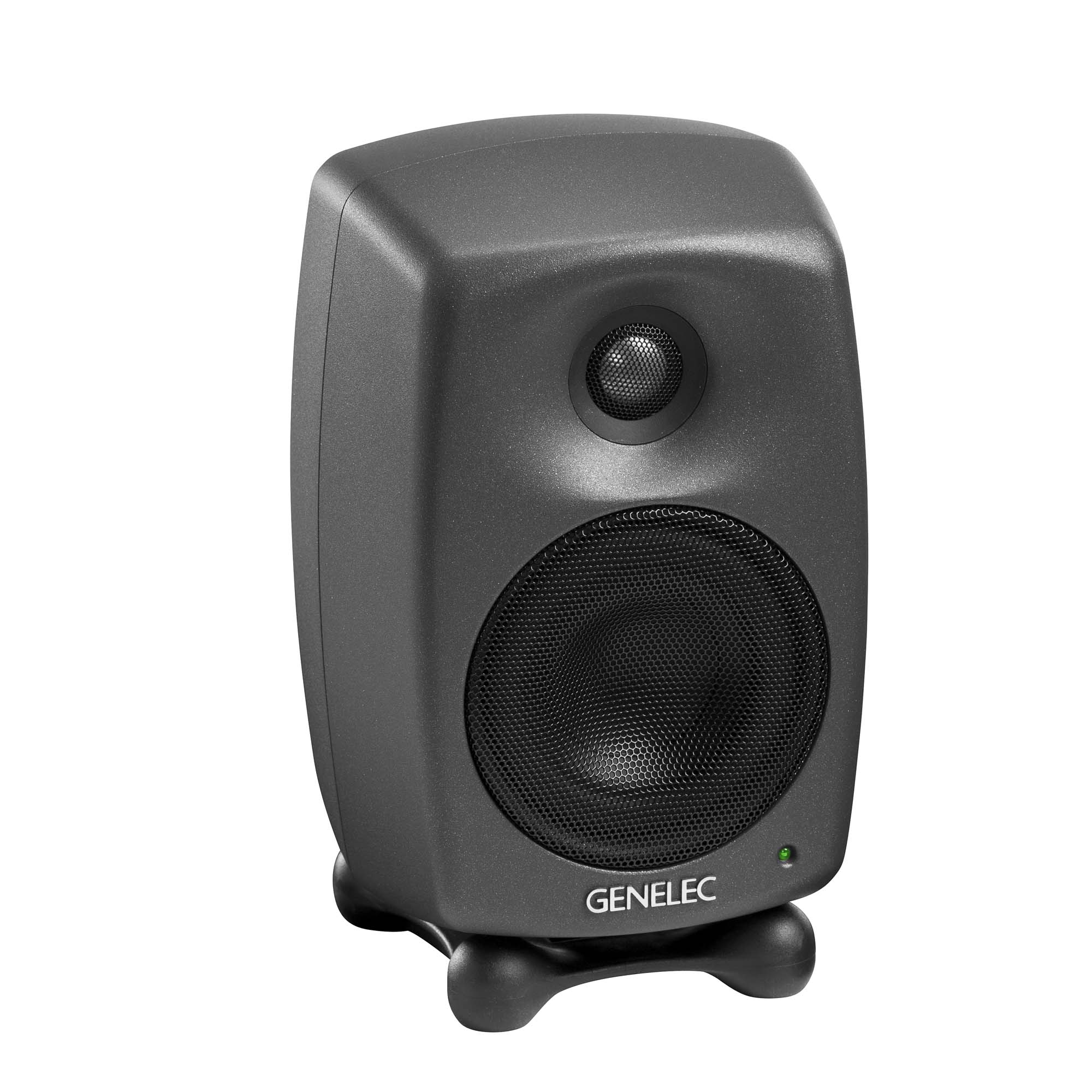

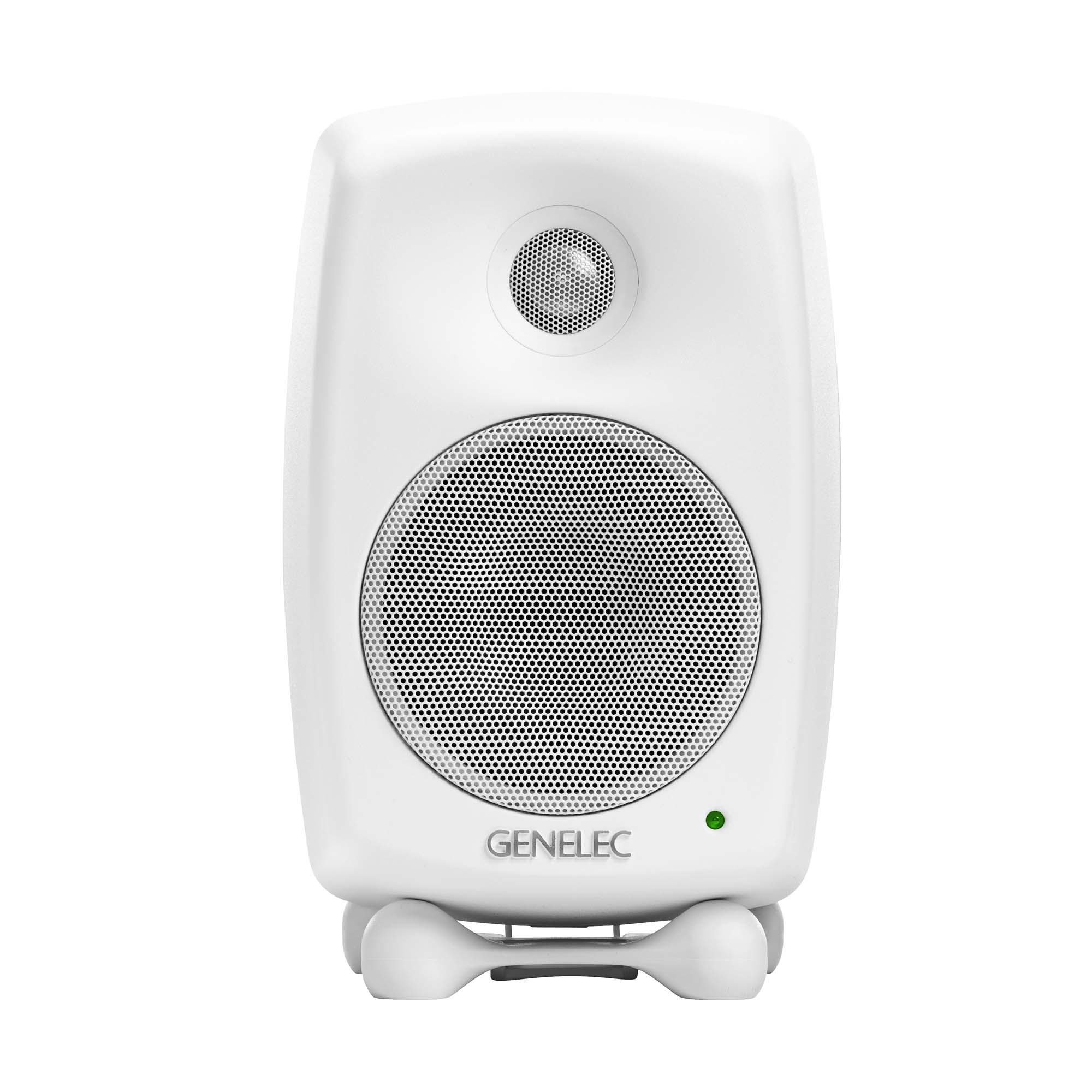


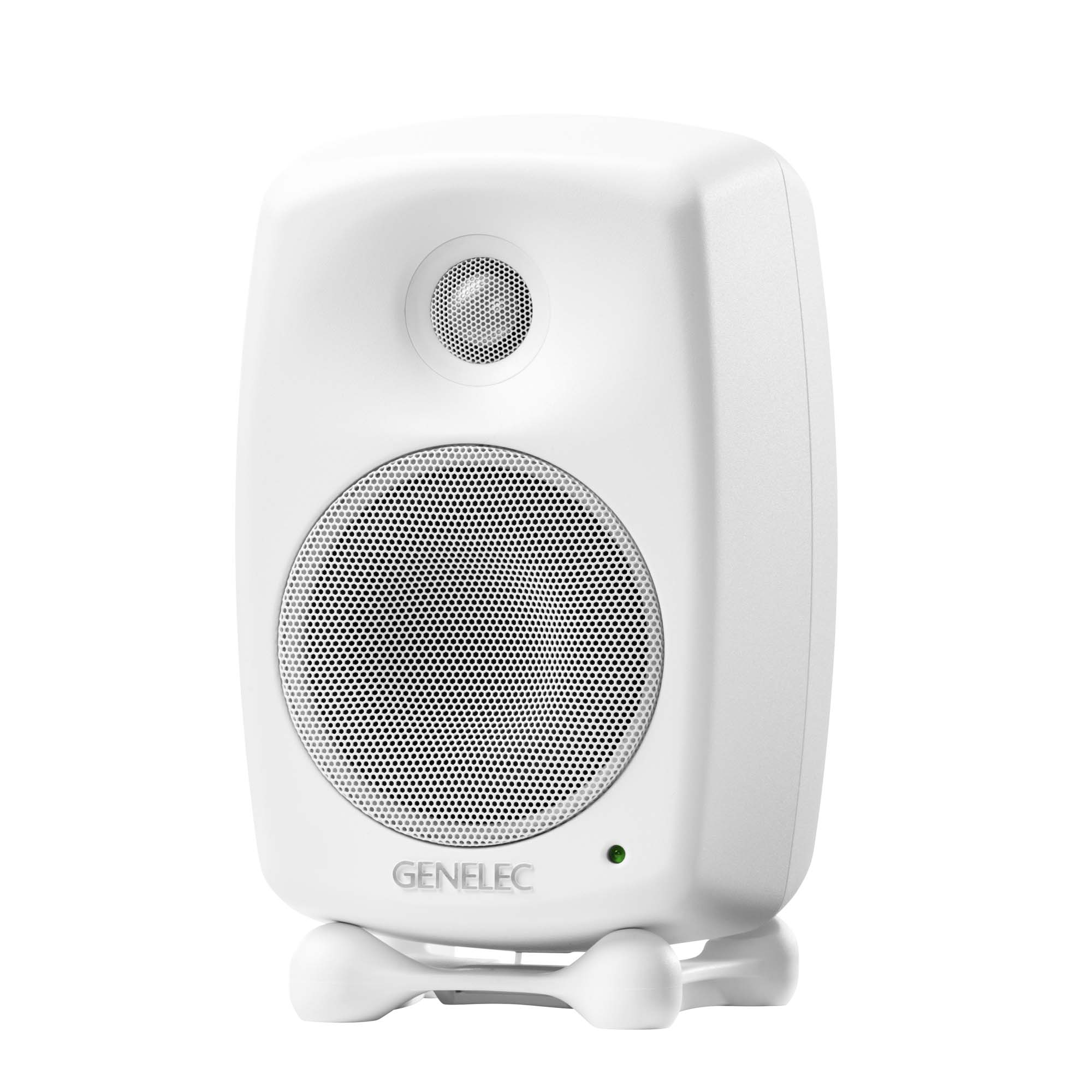
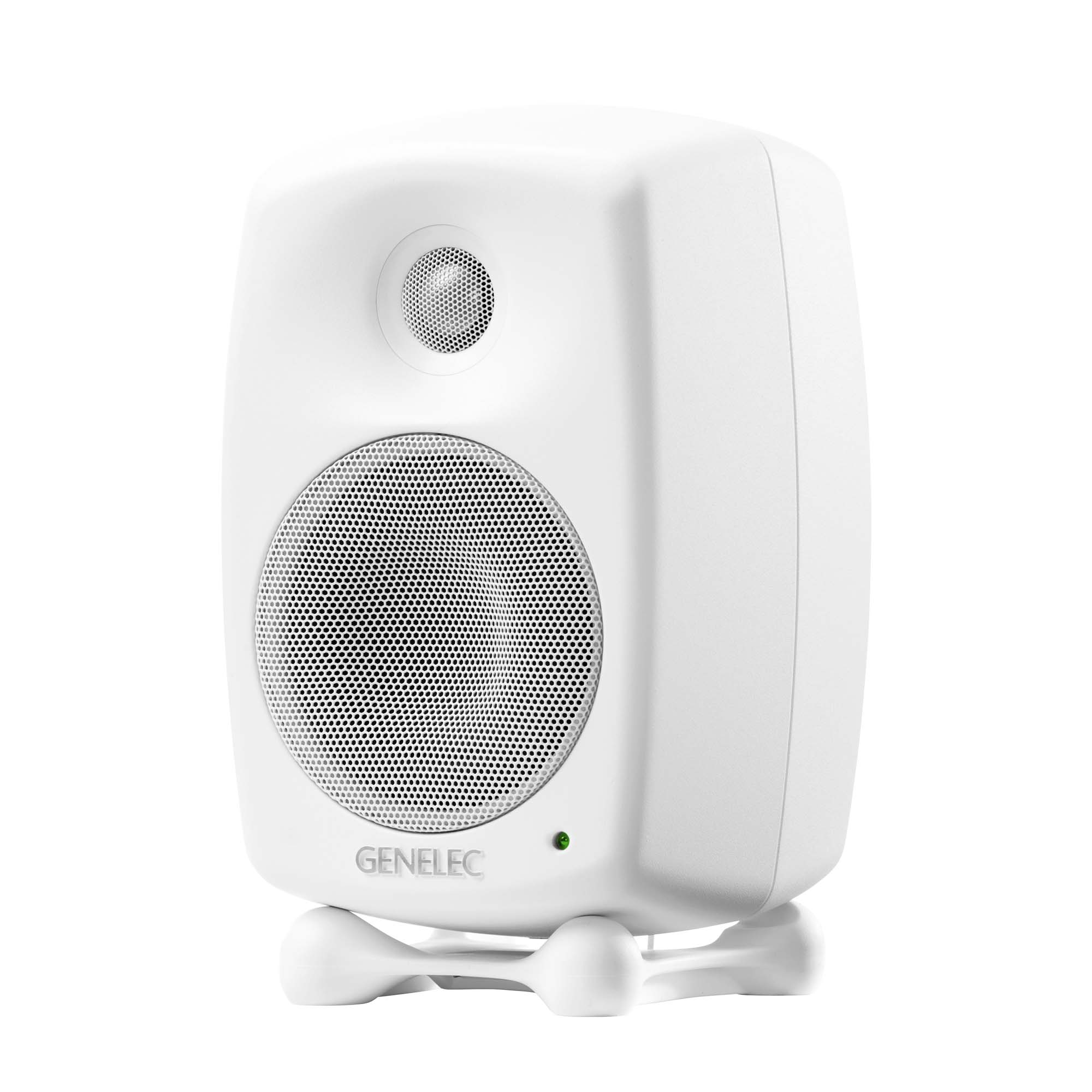

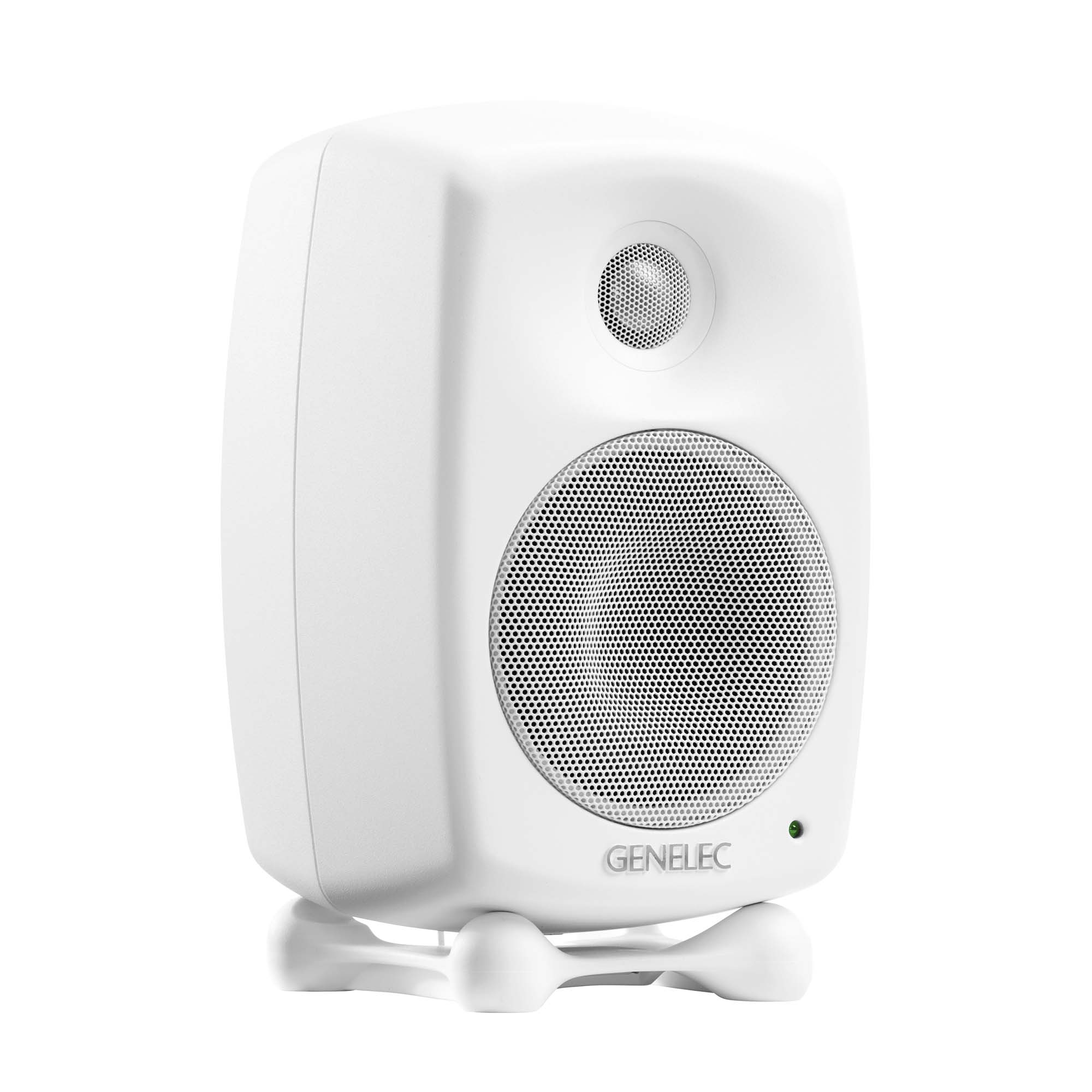
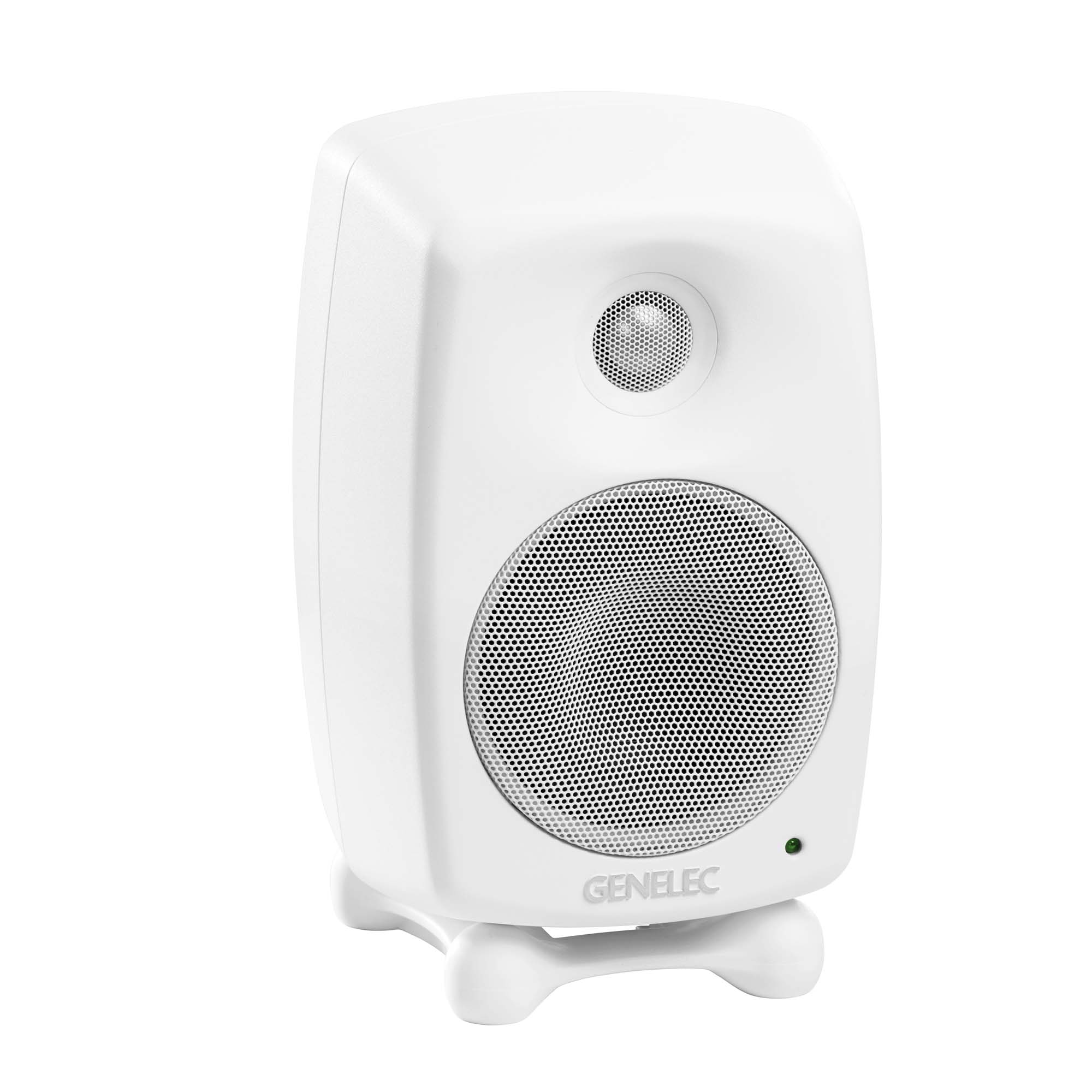
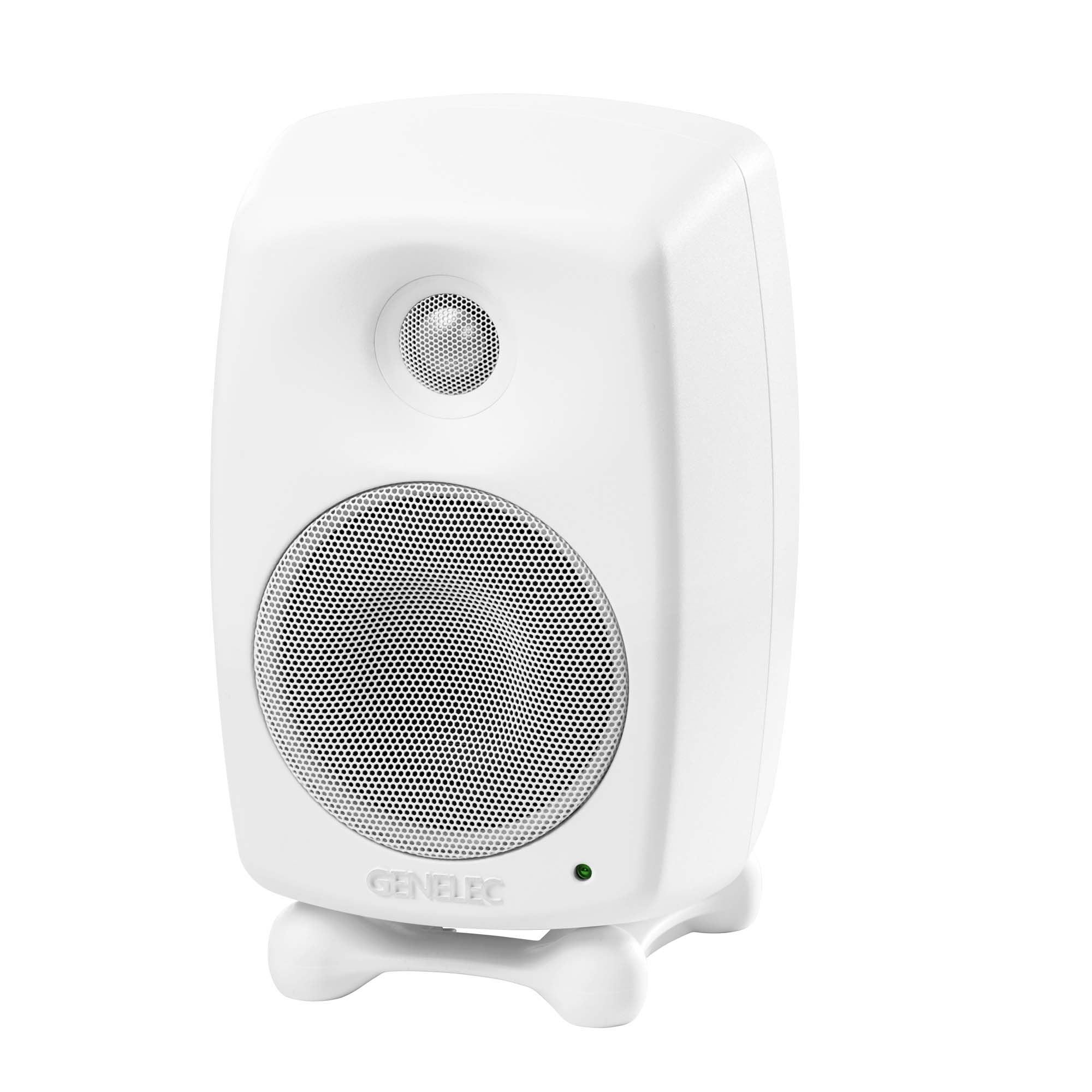


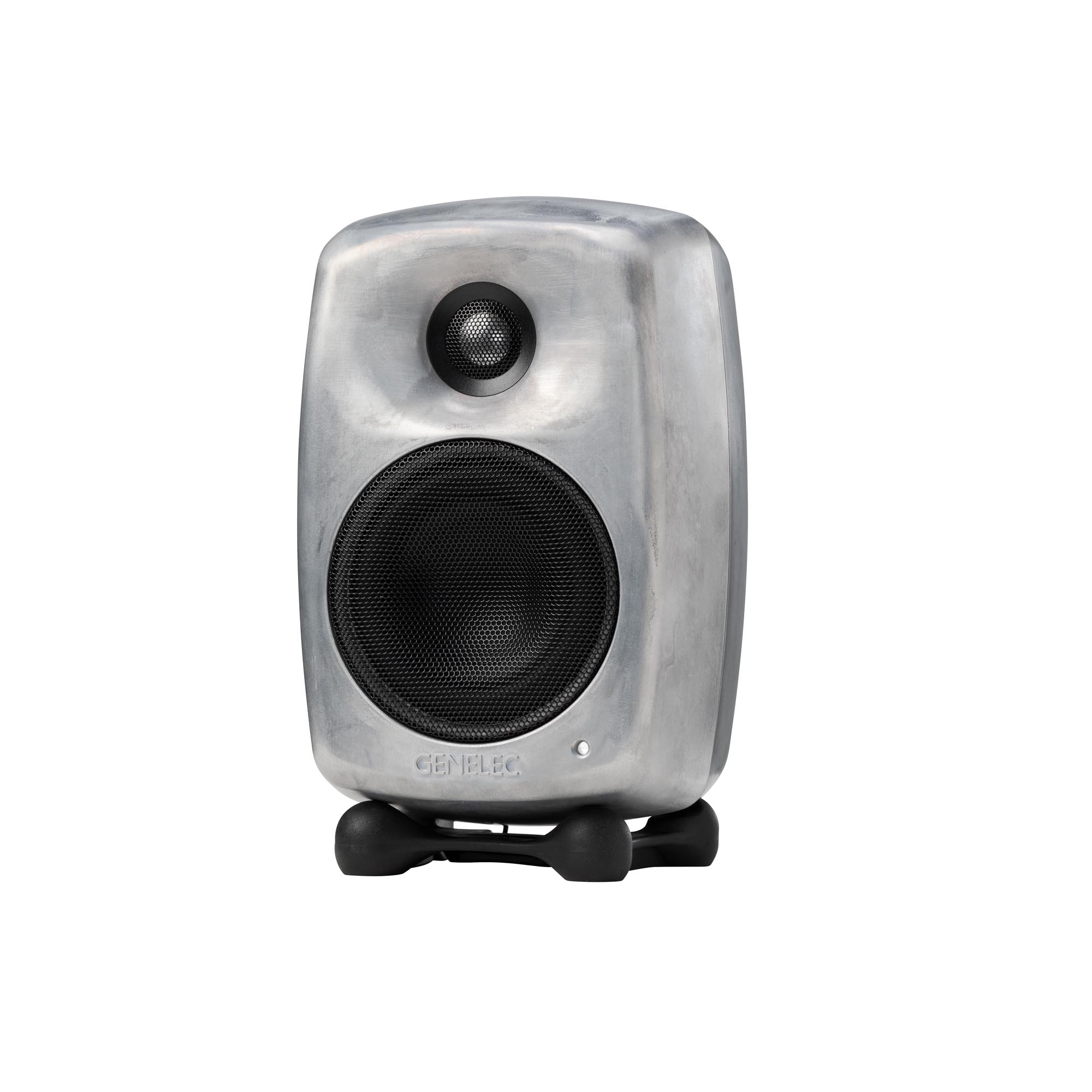
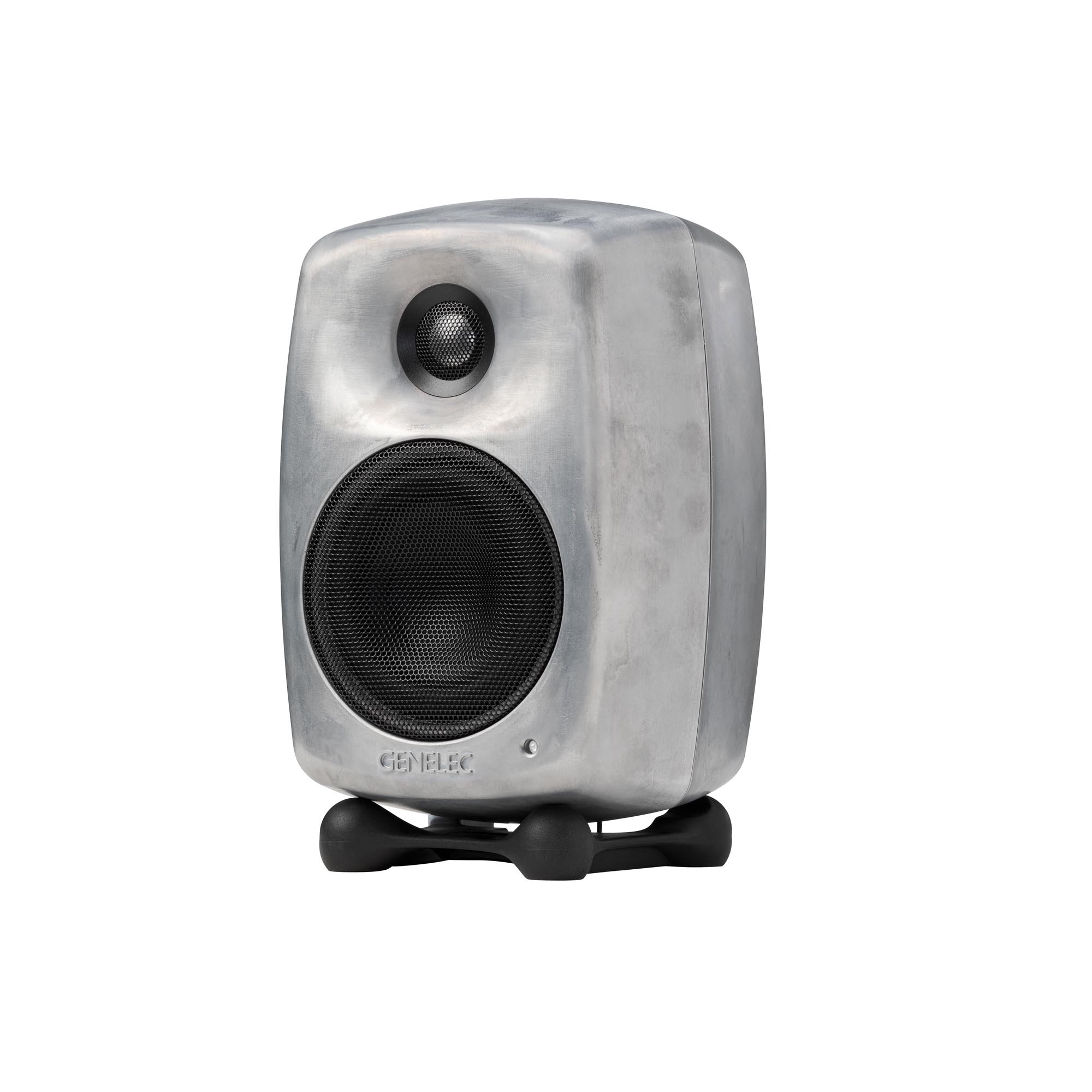

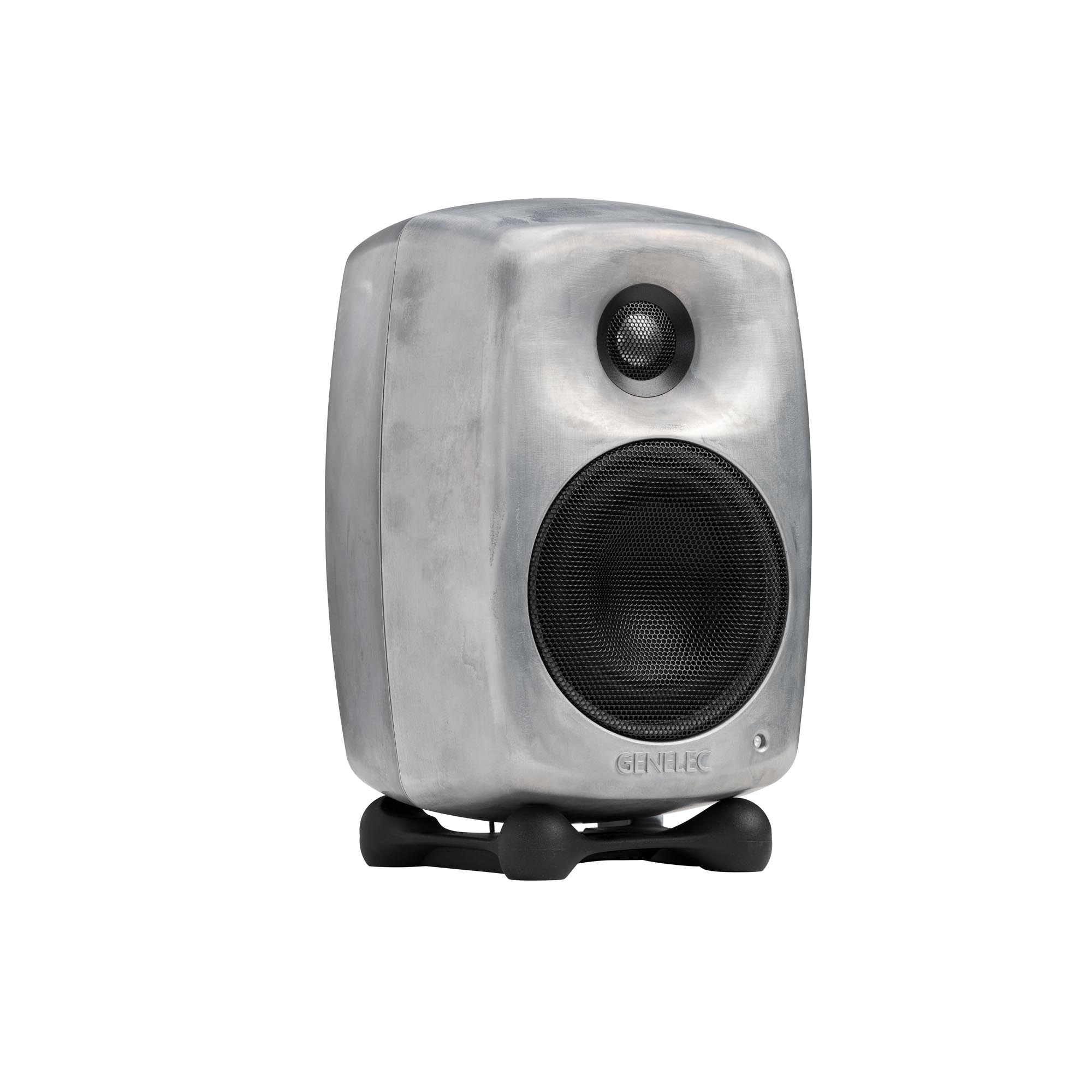
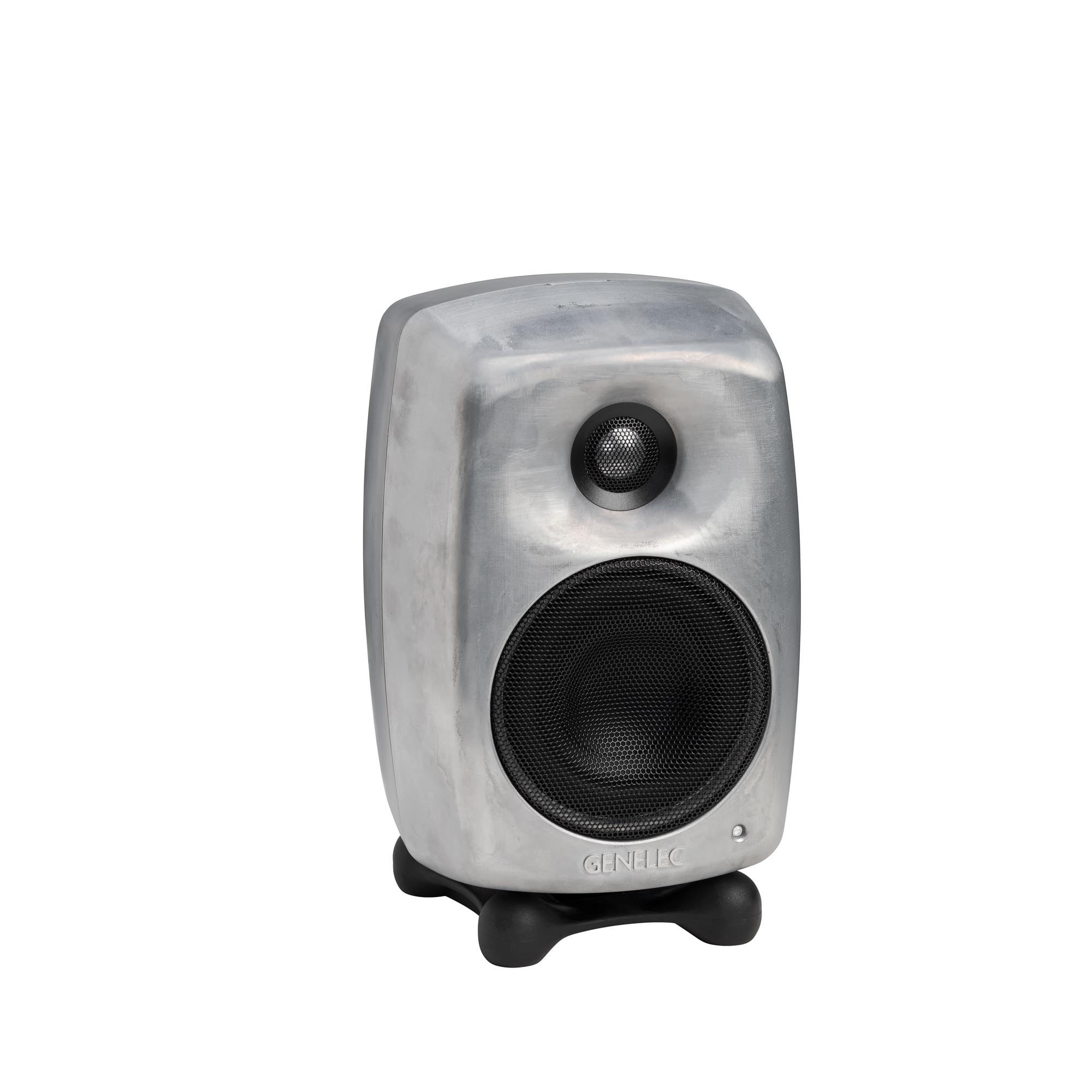
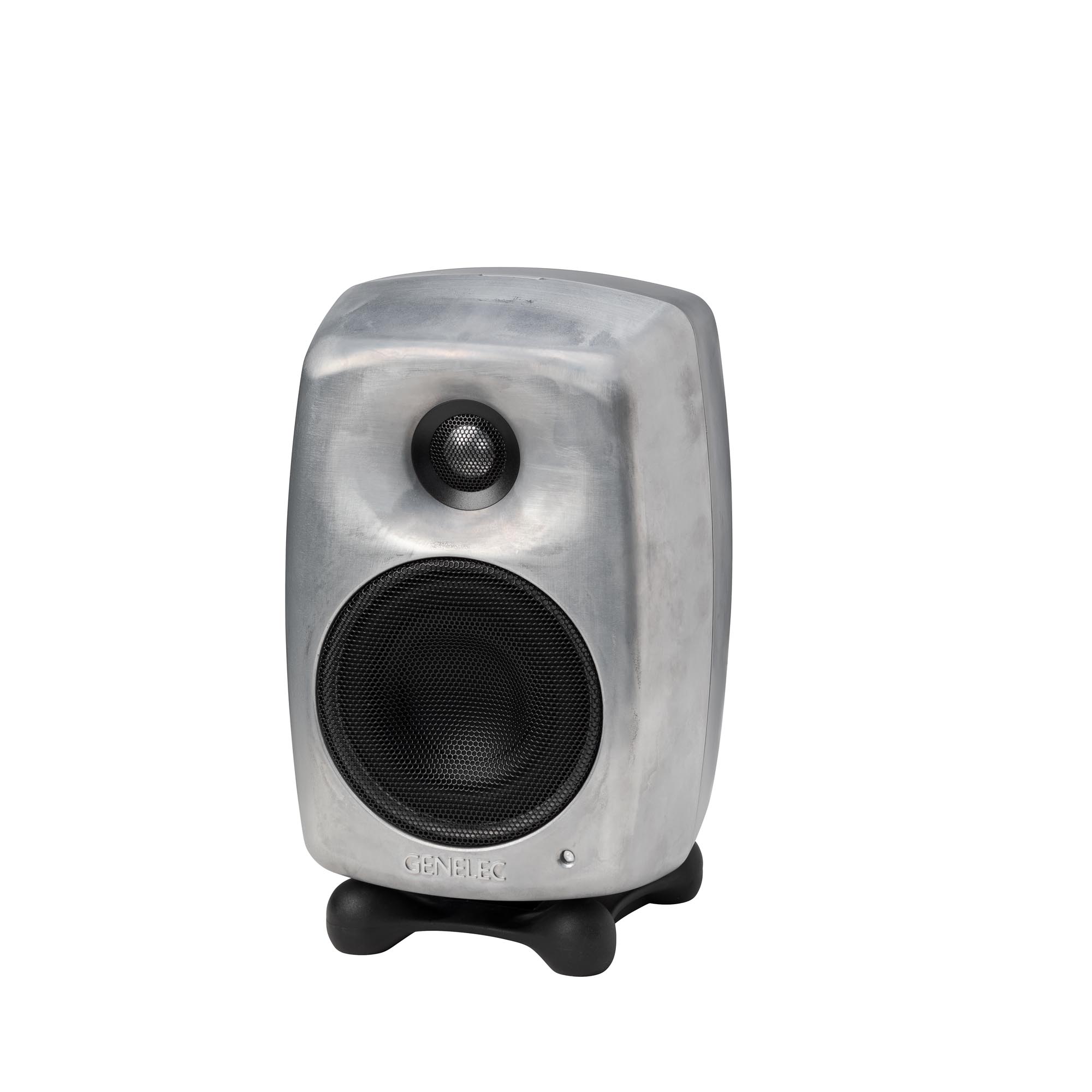
Options de couleur :
Genelec
Moniteur de studio 8020D gris foncé
Moniteur de studio 8020D blanc
Moniteur de studio 8020D noir
Moniteur de studio 8020D RAW
8020D
Récompenses

Genelec 8000 Series was Awarded a MIPA Award 2005 for Best Nearfield Studio Monitors
Genelec Oy: the world leader in active studio monitor speakers, was awarded a prestigious MIPA (Music Industry Press Award) for Best Studio Monitor (Nearfield) for its latest 8000 series of monitors at the Musikmesse, last month.
This award has become the 'Grammy' of the Musical Instrument and Pro Audio industries. Fifty-eight music press magazine from all over the globe cast their vote to make Genelec winner of the category.
Genelec 8000 series studio monitors
The 8000 Series of near-field, two-way systems took two years to develop. It features a new approach to enclosure design, driver technology and active electronics to further reduce distortion and provide an outstanding performance.
All three models in the 8000 series feature die-cast aluminium, minimum diffraction enclosures (MDE™) which have large internal volumes, softly curved edges and outstanding strength to help reduce linear and non-linear distortion. They also incorporate Advanced Directivity Controlled Waveguide (DCW™) to provide extremely accurate control of the speaker's directivity.
8030A studio monitor
The 8030A has a 5 inch bass driver and 3/4 inch tweeter. The free field frequency response is 55Hz to 21kHz, Peak SPL per pair is 108dB driven by a pair of 40 watt amplifiers.
8040A studio monitor
The 8040A has a 6 1/2 inch bass driver and 3/4 inch tweeter. The free field frequency response is 45Hz to 21kHz. Peak SPL per pair is 115dB driven by a pair of 90 watt amplifiers.
8050A studio monitor
The largest model the 8050A features an 8 inch bass driver and 1inch tweeter. The free field frequency response is 35Hz to 21 kHz. Peak SPL is 120dB and bass and treble amplification is 150 and 120 watts respectively.
2005
8020D Technical Specifications
Niveau SPL
100 dB

Puissance de l’amplificateur
50 W Bass (Class D) + 50 W Treble (Class D)
Réponse en fréquence
56 Hz - 25 kHz ("-6 dB")

Précision de la réponse en fréquence
± 2.5 dB (62 Hz - 20 kHz)

Dimensions des haut-parleurs
⌀ 105 mm Bass + ⌀ 19 mm Treble (voir en pouces)
Dimensions
H 242 x W 148 x D 142 mm, avec Iso-Pod™ (voir en pouces)

Poids
3.2 kg / 7.1 lb

Connexions
1 x XLR Analog Input
8020D Studio Monitor
Moniteur de studio
Caractéristiques techniques
En matière de rapport performance/taille, le 8020 a établi la référence du monitoring de proximité depuis plus de 15 ans.


Caractéristiques du système
Réponse en fréquence
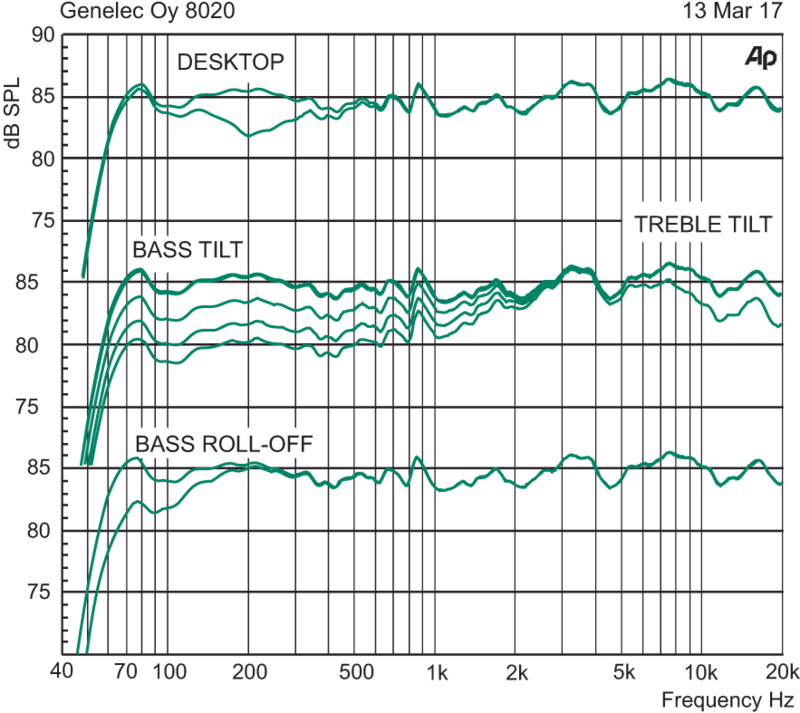
62 Hz - 20 kHz (± 2.5 dB)
Fréquence de coupure basse -6 dB
56 Hz
Fréquence de coupure haute -6 dB
25 kHz
Niveau SPL
SPL maximal Niveau de sortie acoustique de crête maximal par paire, à une distance de 1 mètre avec un signal musical.
≥107 dB
SPL maximal à court terme Niveau de sortie acoustique maximal à court terme pour une onde sinusoïdale sur l’axe en demi-espace, moyenné de 100 Hz à 3 kHz à 1 m.
≥100 dB
SPL maximal à long terme Niveau de sortie acoustique RMS maximal à long terme dans les mêmes conditions avec un bruit pondéré IEC (limité par le circuit de protection des transducteurs) à 1 m.
≥93 dB
Bruit propre
Bruit propre Niveau de bruit propre en champ libre à 1 m sur l’axe
≤5 dB SPL
Poids
Poids3.2 kg (7.1 lb)
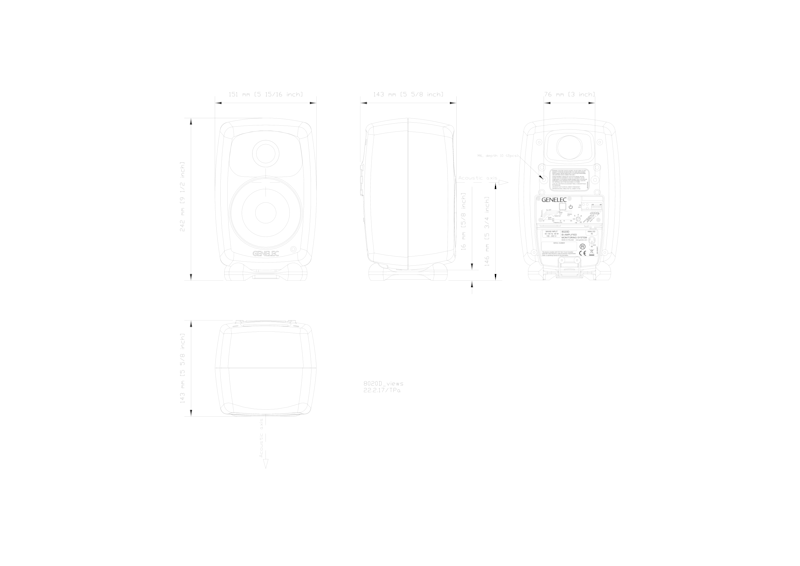
Dimensions
Hauteur
230 mm
Hauteur avec Iso-Pod
242 mm
Largeur
148 mm
Profondeur
142 mm
Boîtier d'enceinte
Matériau du boîtier
Die cast aluminium
Type de boîtier
Reflex port
Haut-parleurs
Bass
Type de haut-parleur
Cone
Diamètre
105 mm
Treble
Type de haut-parleur
Metal dome
Diamètre
19 mm
Directivité
Directivité horizontale

Distorsion harmonique
50...200 Hz ≤3 %
> 200 Hz ≤0.5 %
> 200 Hz ≤0.5 %
Section amplificateur
Amplificateurs
8020D bass amplifier
50 W Class D
8020D treble amplifier
50 W Class D
Tension secteur
100-240 VAC 50/60Hz
Consommation électrique
ISS actif
≤0.5 W
Veille
≤3 W
Pleine puissance
60 W
Section de traitement du signal
Connecteurs
Input Connecteur d’entrée de signal analogique XLR femelle, symétrique 10 kOhm.
Crossover
Bass/Treble
3000 Hz
Variantes du produit
Codes produit
Code
Informations produit
Code EAN
Code NC
8020DPM
Moniteur de studio 8020D gris foncé
8020DWM
Moniteur de studio 8020D blanc
Moniteur de studio 8020D noir
Moniteur de studio 8020D RAW
Accessoires compatibles
Codes produit
Code
Informations produit
Code EAN
Code NC
8000-450B
8000-450 TRIOL Floor Stand Black
8000-450W
8000-450W TRIOL Stand White
8000-406
8000-406 Short table stand
8000-425B
8000-425B Adjustable height table stand (301-527 mm)
8020-320B
8020-320B Table stand L-shape, Black
8000-409BB
8000-409BB Floor Stand (950-1430 mm)
8000-409BW
8000-409BW Floor stand (950-1430 mm)
8000-403
8000-403 Floor stand (mic stand)
8020-408
8020-408 Stand plate for 8020 Iso-Pod
8020-438W
8020-438W White Stand plate for 8020 Iso-Pod
8000-202B
8000-202B Short ceiling mount ball joint, Black
8000-202W
8000-202W Short ceiling mount ball joint, White
8000-436B
8000-436B Short ceiling mount, Black
8000-436W
8000-436W Short ceiling mount, White
8000-442B
8000-442B Short adjustable ceiling mount, Black
8000-442W
8000-442W Short adjustable ceiling mount, White
8000-444B
8000-444B Long adjustable ceiling mount, Black
8000-444W
8000-444W Long adjustable ceiling mount, White
8000-446B
8000-446B Truss mount kit, adjustable length
8000-416B
8000-416B Short truss mount with clamp
4000-410B
4000-410B Wall mount (simple bracket), Black (Genelec)
4000-410W
4000-410W Wall mount (simple bracket), White (Genelec)
8000-420CB
8000-420CB Short wall mount, Black
8000-420CW
8000-420CW Short wall mount, White
8000-422B
8000-422B Adjustable wall mount with T-plate, Black
8000-422W
8000-422W Adjustable wall mount with T-plate, White
8000-402B
8000-402B Wall mounting bracket, Black
8000-402W
8000-402W Wall mounting bracket, White
8020-440
8020-440 for 8020, Black
8020-440W
8020-440W for 8020, White
8000-437B
8000-437B VESA adapter 75/100 mm, Black
8020-423
8020-423 Soft carrying bag for two pcs 8X20, Black
Pour davantage de détails techniques, veuillez consulter le manuel d’utilisation du produit.
Accessoires compatibles

8000-450 Triol Stand

8000-406 Short table stand

8000-425B Support de table à hauteur réglable

8020-320 Table stand L-shape

8000-409 Floor Stand

8000-403 Small Floor Stand

Stand Plate for 8020, 8320 & G Two Iso-Pod

8020-438W White Stand plate for 8020 Iso-Pod

8000-202 Short Ball Joint Ceiling Mount

8000-436 Short Ceiling Mount

8000-442 Short Adjustable Ceiling Mount

8000-444 Long Adjustable Ceiling Mount

8000-446 Truss Mount Kit with adjustable length

8000-416 Short Truss Mount with clamp

4000-410 Simple Wall Bracket

8000-420 Short Ball-Joint Wall Mount

8000-422 Adjustable Wall Mount
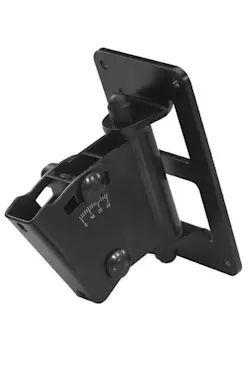
Support mural réglable 8000-402

8020-440 Kit Iso-Pod

8000-437 VESA Adapter

8020-423 Soft Carrying Case
Technologies clés

Filtres actifs

Technologie Directivity Control Waveguide (DCW™)

Technologie Intelligent Signal Sensing (ISS™)

Stand Iso-Pod™

Technologie MDE™ (Minimum Diffraction Enclosure)

Amplificateurs optimisés

Circuits de protection

Conception d'évent bass-reflex

Compensation de réponse de la pièce

Fixations polyvalentes
Filtre actif fonctionnant à faible niveau de signal.
Les filtres électroniques audio permettent de diviser le signal audio en bandes de fréquences distinctes, chacune étant dirigée séparément vers des amplificateurs de puissance individuels, qui sont ensuite connectés à des transducteurs spécifiques optimisés pour une plage de fréquences donnée.

Les filtres actifs existent en versions numériques et analogiques. Les filtres actifs numériques Genelec incluent des traitements supplémentaires du signal, tels que la protection des transducteurs, le délai et l’égalisation.
Les filtres actifs analogiques Genelec contiennent des composants électroniques fonctionnant à faible niveau de signal, adapté aux entrées des amplificateurs de puissance. Cela contraste avec les filtres passifs, qui fonctionnent à des niveaux de signal élevés en sortie d’amplificateur. Ils doivent alors gérer des courants importants et, dans certains cas, des tensions élevées.
Dans un système deux voies typique, le filtre actif nécessite deux amplificateurs de puissance — un pour le woofer et un pour le tweeter.
La conception à filtre actif offre de multiples avantages :
- La réponse en fréquence devient indépendante des variations dynamiques des caractéristiques électriques des transducteurs ou du niveau de signal.
- Il existe une flexibilité et une précision accrues pour ajuster et affiner chaque réponse en fréquence de sortie pour les transducteurs spécifiques utilisés.
- Chaque transducteur dispose de son propre traitement du signal et de son propre amplificateur de puissance. Cela isole chaque transducteur des signaux d'attaque traités par les autres transducteurs, réduisant la distorsion d’intermodulation et les problèmes de surcharge.
- La capacité de compenser les variations de sensibilité entre les transducteurs.
- La possibilité de compenser les anomalies de réponse en fréquence et en phase associées aux caractéristiques d’un transducteur dans la bande passante prévue.
- La réponse en fréquence plate d’une enceinte active de haute qualité est le résultat de l’effet combiné de la réponse du filtre, des amplificateurs de puissance et des transducteurs dans une enceinte.
L’utilisation de l’approche active permet d’ajuster la réponse en fréquence et d’optimiser l’ensemble du système d’enceintes, placé dans différents environnements acoustiques, sans égaliseurs externes coûteux. Le résultat final est un système d’enceintes actives plus simple, plus fiable, plus efficace, cohérent et précis.
Guide d'ondes à contrôle de directivité (DCW™) pour une réponse plate dans l'axe ou hors axe.

Genelec a adopté une approche révolutionnaire en 1983 avec le développement de son guide d'ondes de contrôle de la directivité (DCW™). Nous avons développé et perfectionné cette technologie pendant plus de 30 ans afin d'améliorer considérablement les performances des moniteurs multi-voies à rayonnement direct.
La technologie DCW façonne le front d'onde émis de manière contrôlée, permettant d'ajuster de façon prévisible le diagramme de directivité (dispersion). Pour obtenir une directivité uniforme et régulière, l'objectif est de limiter l'angle de rayonnement afin de réduire le rayonnement parasite. Il en résulte une excellente linéarité de la réponse en fréquence globale ainsi qu'une réponse en puissance uniforme. Cela minimise les réflexions précoces et offre une zone d'écoute large et contrôlée, garantissant une reproduction sonore précise, aussi bien dans l'axe que hors axe.
La réduction des réflexions précoces et la directivité contrôlée et constante présentent un autre avantage majeur : l'équilibre fréquentiel du champ de réverbération de la pièce est pratiquement identique à celui du champ direct provenant des moniteurs. Par conséquent, les performances du système de monitoring dépendent moins des caractéristiques acoustiques de la pièce.
La largeur et la profondeur de l'image sonore, éléments cruciaux de tout environnement d'écoute, sont importantes non seulement pour l'écoute dans l'axe, mais aussi hors axe. Cela profite non seulement à l'ingénieur du son dans l'exercice de ses fonctions, mais aussi aux autres personnes présentes dans la zone d'écoute, comme c'est souvent le cas dans les grandes régies.
Principaux avantages de la technologie DCW™ :
- Réponse plate dans l'axe et hors axe pour une zone d'écoute utile plus large.
- Rapport son direct/son réfléchi accru pour une coloration réduite en régie.
- Imagerie stéréo et champ sonore améliorées.
- Sensibilité des haut-parleurs accrue jusqu'à 6 dB.
- Capacité maximale de niveau de pression acoustique (SPL) du système augmentée.
- Distorsion des haut-parleurs réduite.
- Diffraction aux bords de l'enceinte réduite.
- Distorsion globale du système réduite.
Intelligent Signal Sensing (ISS™) pour réduire la consommation d'énergie en mode veille.

Lancée début 2013, la technologie Intelligent Signal Sensing (ISS™) de Genelec a été développée pour répondre à la fois aux directives ErP de l'Union européenne et aux normes ambitieuses de Genelec en matière de développement durable.
Le circuit ISS™ surveille le signal d'entrée de l'enceinte et détecte si celle-ci est utilisée. Si le circuit ISS ne détecte aucun signal audio à l'entrée pendant une certaine durée, il bascule l'enceinte dans un mode veille à basse consommation (inférieure à 0,5 watt). Dès qu'un signal d'entrée est détecté, l'enceinte se rallume immédiatement.
Par ailleurs, un commutateur de désactivation ISS (« ISS Disable ») est situé sur le panneau arrière de chaque produit, à côté des autres commandes de correction acoustique. Par défaut, lorsque l'interrupteur d'alimentation principal de l'enceinte est sur « ON », la fonction de démarrage automatique ISS™ (activation/désactivation du mode veille basse consommation) est active.
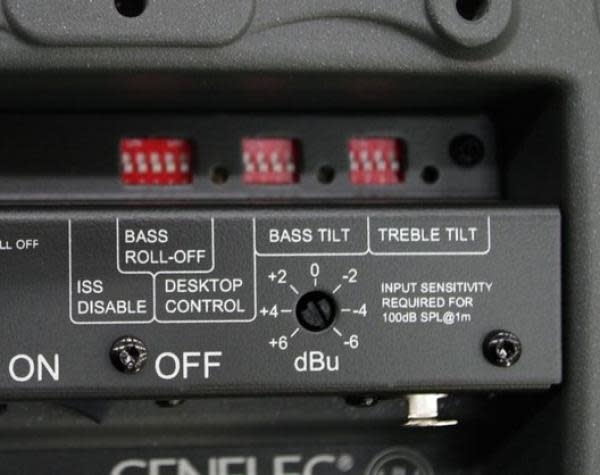
Si cette fonction n'est pas souhaitée, elle peut être désactivée en plaçant le commutateur « ISS Disable » du panneau arrière sur la position « ON ». Dans ce mode, l'enceinte ne s'allume et ne s'éteint qu'au moyen de l'interrupteur d'alimentation principal.
Notez que l'interrupteur d'alimentation principal permet toujours d'éteindre complètement l'enceinte.
Le support Iso-Pod™ découpleur de vibrations améliore la définition de l'image sonore.

Bien qu'il soit recommandé d'utiliser des pieds robustes et stables pour les enceintes, une solution très courante consiste à les placer directement sur une table ou sur le bandeau de vumètres d'une console.
Cette pratique entraîne plusieurs effets indésirables : l'axe de l'enceinte est rarement orienté vers l'auditeur, des vibrations mécaniques se propagent de l'enceinte vers la surface de support et les réflexions primaires sur le plan de travail provoquent un filtrage en peigne, entraînant des irrégularités dans la réponse en fréquence.
Pour résoudre ces problèmes fréquents, Genelec a mis au point une solution efficace et très pratique. Nous avons conçu un support d'enceinte baptisé Iso-Pod™ (pour Isolation Positioner/Decoupler – support isolant et découpleur), fixé au boîtier en aluminium. Doté de quatre pieds peu profonds, il est fabriqué dans un matériau spécial de type caoutchouc à propriétés d'amortissement. Il est fermement fixé au boìtier d'enceinte, ce qui permet de le faire glisser le long de la surface incurvée (inférieure ou latérale) pour incliner l'enceinte de ±15°.
L'axe acoustique de l'enceinte peut ainsi être orienté avec précision vers l'auditeur en ajustant l'inclinaison du coffret grâce à l'Iso-Pod. Les propriétés d'isolation vibratoire et d'amortissement réduisent la coloration du médium causée par les vibrations indésirables transmises aux surfaces de support.
Cette solution innovante fait partie intégrante de la conception des enceintes Genelec et offre des avantages manifestes en termes de facilité d'utilisation et de qualité sonore.
Boîtier d'enceinte à diffraction minimale (MDE™) pour une reproduction sonore sans coloration.

Un problème courant avec les enceintes colonnes ou de bibliothèque standard réside dans le fait que les discontinuités de la face avant provoquent des phénomènes de diffraction, tandis que les arêtes vives agissent comme des sources secondaires par réflexion.
Afin d'améliorer la linéarité de la réponse en fréquence et de la réponse en puissance des systèmes d'enceintes, Genelec a conçu une enceinte hautement innovante, optimisée pour s'accorder aux propriétés des haut-parleurs. Elle se distingue par ses bords arrondis ainsi que par la courbure douce de sa face avant et de ses parois latérales. Outre une linéarité de réponse en fréquence inégalée, cette conception à diffraction minimale confère à l'enceinte une qualité d'image sonore exceptionnelle.
Pour obtenir une surface aussi lisse et élégamment incurvée tout en réduisant les dimensions extérieures — et en maximisant simultanément le volume interne pour une meilleure efficacité dans les basses fréquences — nous avons opté pour une structure en aluminium moulé sous pression. L'aluminium est un matériau léger, rigide et très facile à amortir, permettant d'obtenir une structure inerte (sans résonance parasite). Les parois de l'enceinte peuvent être relativement fines tout en assurant un bon blindage électromagnétique (CEM) et une excellente dissipation thermique pour les amplificateurs de puissance. Le moulage s'effectue en deux parties (avant et arrière), facilement dissociables pour d'éventuelles opérations de maintenance.
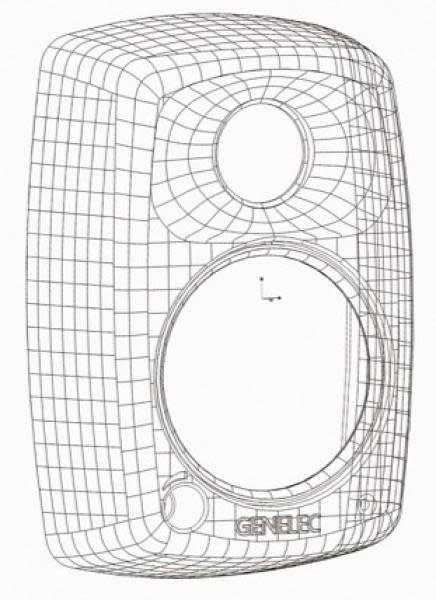
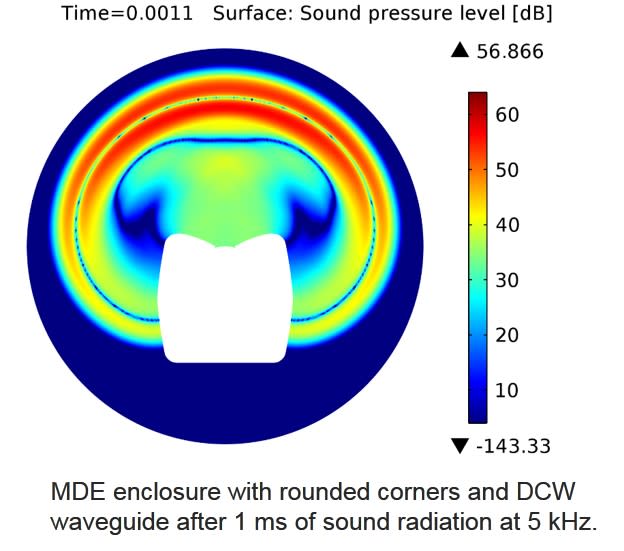
Le guide d'ondes DCW a été intégré à l'enceinte en aluminium MDE pour offrir un meilleur contrôle de la directivité de l'enceinte. En principe, la limite basse fréquence pour une directivité constante est déterminée par la taille du guide d'ondes : plus la surface est grande, meilleur est le contrôle. Grâce à une dispersion hors axe parfaitement maîtrisée, la fenêtre d'écoute reste homogène, un aspect crucial pour le monitoring audio multicanal. Cette directivité contrôlée limite également les réflexions primaires sur les surfaces proches de l'enceinte, garantissant ainsi une reproduction sonore constante, quel que soit l'environnement acoustique. Par ailleurs, la face avant présente une courbure douce, tandis que les grilles acoustiquement transparentes s'intègrent harmonieusement à l'esthétique du coffret, se fondant parfaitement avec les autres surfaces courbes.

Chaque transducteur est alimenté par son propre amplificateur optimisé.

Les filtres électroniques audio permettent de diviser le signal audio en bandes de fréquences distinctes, lesquelles sont acheminées séparément vers des amplificateurs de puissance individuels ; ces derniers sont ensuite reliés à des transducteurs spécifiques, optimisés pour une bande de fréquences donnée.
Dans un système d'enceintes deux voies classique, le filtre actif nécessite deux amplificateurs de puissance : un pour le haut-parleur de graves (woofer) et un pour le tweeter. Les amplificateurs sont connectés directement aux haut-parleurs de l'enceinte active ; la charge vue par l'amplificateur s'en trouve ainsi simplifiée et parfaitement définie. Chaque amplificateur dédié à un haut-parleur n'a qu'une plage de fréquences limitée à amplifier (puisqu'il est placé en aval du filtre actif), ce qui facilite la conception.
Le principe de conception active offre de nombreux avantages :
- Les amplificateurs de puissance sont connectés directement aux haut-parleurs, ce qui maximise le contrôle exercé par l'amortissement de l'amplificateur sur la bobine mobile du haut-parleur et réduit les conséquences des variations dynamiques des caractéristiques électriques de ce dernier. Cela peut améliorer la réponse transitoire du système.
- Les exigences en matière de puissance de sortie de l'amplificateur sont réduites. En l'absence de perte d'énergie dans les composants d'un filtre passif, la puissance requise en sortie d'amplificateur diminue considérablement (jusqu'à 50 % dans certains cas) sans pour autant réduire la puissance acoustique délivrée par le système. Cela permet de réduire les coûts tout en améliorant la qualité audio et la fiabilité du système.
- L'absence de perte entre l'amplificateur et les haut-parleurs garantit une efficacité acoustique maximale.
- La technologie active permet d'obtenir des performances supérieures en termes de rapport entre puissance sonore, encombrement et fréquence de coupure basse.
- Toutes les enceintes sont livrées sous forme de système calibré en usine (amplificateurs, électronique de filtrage et ensemble boîtiers d'enceinte/haut-parleurs).
Circuit de protection sophistiqué pour un fonctionnement en toute sécurité.

Dans les environnements de production audio critiques, il est essentiel que les systèmes de monitoring restent fiables et opérationnels à tout moment. L'une des principales raisons du succès de Genelec dans le secteur de la diffusion (broadcast) réside dans la fiabilité de nos produits ; un élément clé de cette fiabilité est le circuit de protection interne dont sont dotés tous nos modèles depuis 1978.
Ce circuit prévient les défaillances des haut-parleurs en surveillant les niveaux de signal et en réduisant automatiquement le niveau en cas de pics soudains ou de niveaux excessivement élevés et soutenus. Bien entendu, cette fonction n'altère en rien la qualité sonore tant que l'utilisation reste conforme aux spécifications de l'enceinte ; elle a simplement pour rôle d'empêcher que des signaux d'entrée inappropriés n'endommagent le haut-parleur.
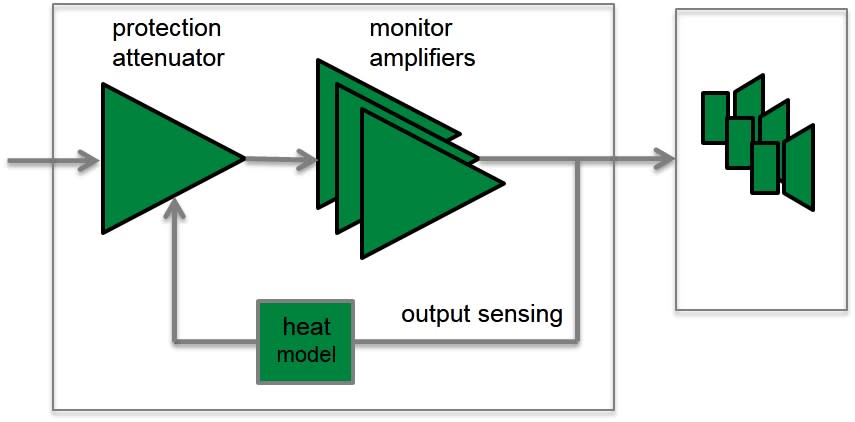
Caractéristiques et avantages des circuits de protection :
- Réduit le niveau de sortie lorsque nécessaire (par exemple, lorsque la température de la bobine mobile du haut-parleur atteint la limite de sécurité), ce qui améliore considérablement la fiabilité du système.
- La conception appropriée des circuits de protection dans chaque enceinte et subwoofers permet de maximiser le niveau de sortie sonore du système.
Conception avancée de l'évent bass-reflex pour une réponse étendue dans les basses fréquences.

Le choix de Genelec pour les enceintes à évent (ou bass-reflex) remonte au modèle S30, le premier produit de la marque lancé en 1978. Les performances de l'évent ont été améliorées et affinées au fil des ans afin d'étendre la réponse du haut-parleur de grave vers les fréquences les plus basses et d'augmenter le niveau de pression acoustique, offrant ainsi une articulation et une définition exceptionnelles des basses.
Le haut-parleur et l'évent contribuent tous deux au rayonnement sonore global d'une enceinte bass-reflex. Si la majeure partie du rayonnement provient du haut-parleur, à la fréquence de résonance de l'ensemble évent-enceinte, l'amplitude de déplacement de la membrane est réduite et l'essentiel du rayonnement est émis par l'évent.
Pour minimiser la vitesse de l'air dans le conduit, la section transversale de l'évent doit être importante. Cela implique nécessairement un conduit long, ce qui représente un véritable défi de conception.
Ce conduit long et incurvé optimise la circulation de l'air, permettant de reproduire des basses profondes sans compression. Le conduit bass-reflex se termine par un évasement large situé à l'arrière de l'enceinte, ce qui minimise les bruits d'écoulement d'air et garantit une excellente articulation des basses.
La courbure du conduit a également été soigneusement étudiée pour minimiser tout bruit audible, compression ou distorsion. L'extrémité interne du conduit bénéficie d'une terminaison résistive appropriée afin de réduire davantage les bruits de souffle et les turbulences de l'air.
Une conception optimisée de l'évent permet également de réduire considérablement le déplacement de la membrane du haut-parleur de grave, améliorant ainsi la capacité de restitution linéaire dans les basses fréquences.
Compensation précise de la réponse en salle pour optimiser les performances acoustiques.

L'interaction entre l'acoustique de la pièce et le rayonnement de l'enceinte est complexe. Chaque pièce modifie la réponse du moniteur de manière unique ; pensons par exemple aux différences entre une pièce très réfléchissante et une pièce amortie, ou au placement contre un mur par rapport à une installation sur pied, à distance des murs.
Tous les systèmes d'enceintes Genelec intègrent des réglages de compensation de la réponse en salle, permettant de corriger l'influence de l'environnement acoustique et d'obtenir une réponse en fréquence linéaire au point d'écoute.
Systèmes analogiques
Les systèmes d'enceintes analogiques Genelec offrent des réglages polyvalents d'adaptation à la pièce (Room Response Controls). Ils incluent (selon les modèles) :
- Atténuation des graves (Bass Roll-Off) et correction en plateau des graves (Bass Tilt)
- Correction en plateau des aigus (Treble Tilt) et atténuation des aigus (Treble Roll-Off)
- Niveau des graves
- Niveau des médiums
- Niveau des aigus
- Compensation de bureau (Desktop Control)

Deux commandes principales sont prévues pour les basses fréquences. La commande « Bass Tilt » (correction en plateau) agit comme un filtre de type « shelving » ; associée à la commande « Bass Roll-Off » (atténuation), elle permet d'optimiser la réponse du système dans le bas du spectre (fréquences graves et très graves) en fonction des différentes configurations d'installation. Sur les systèmes de grande taille, des réglages de niveau sont disponibles pour les graves, les médiums et les aigus. Ces commandes permettent d'optimiser l'équilibre relatif entre les différentes bandes de fréquences.
Le manuel d'utilisation et la fiche technique de chaque enceinte indiquent les réglages recommandés pour l'adaptation à la pièce selon les différents types d'installation. Ces recommandations sont le fruit d'une longue expérience pratique et de mesures effectuées dans divers environnements acoustiques types.
Systèmes Smart Active Monitor (SAM™)
Les systèmes SAM™ de Genelec constituent une gamme de produits complète, axée sur des solutions et intelligemment interconnectée ; ils intègrent tous le logiciel Genelec Loudspeaker Manager (GLM™) ainsi que son système de calibration automatique, AutoCal™.
Genelec AutoCal propose le premier processus intégré de l'industrie permettant une mesure, une analyse et un ajustement entièrement automatisés de chaque moniteur présent sur le réseau de contrôle GLM. Le système mesure la réponse acoustique dans la zone d'écoute et applique les corrections nécessaires dans les fréquences graves et bas-médiums afin de minimiser les anomalies acoustiques de la pièce ainsi que les écarts entre les différentes positions d'écoute. AutoCal aligne également les niveaux relatifs et les temps de propagation, tout en ajustant la phase au niveau du filtre de crossover (fonction AutoPhase) pour tous les subwoofers du réseau.

L'éditeur de réponse acoustique (Acoustic Response Editor) offre une représentation graphique précise de la réponse mesurée, de la correction par filtrage et de la réponse résultante du système pour chaque moniteur, tout en permettant un contrôle manuel complet des paramètres acoustiques.
Des options de fixation polyvalentes pour tous les besoins d'installation.

Outre une conception acoustique irréprochable et des options de réglage avancées permettant d'optimiser le comportement de l'enceinte en fonction de la pièce, les enceintes Genelec offrent diverses possibilités de fixation pour une installation aisée dans des contextes variés.
Notre vaste gamme d'accessoires et les points de fixation intégrés à l'arrière de nos enceintes en aluminium apportent une solution à toutes les situations d'installation courantes. Des points de fixation M6 sont intégrés au coffret moulé sous pression pour permettre un montage mural ou au plafond.
Certains modèles disposent également d'un filetage 3/8" sous le coffret pour une fixation sur un pied de microphone robuste, tandis que d'autres modèles, plus grands et plus lourds, sont équipés de points de fixation M10. Des platines spécifiques ont été conçues pour permettre l'utilisation du support Iso-Pod, élément indissociable de la conception de nos produits.
Grâce à ces caractéristiques, nos enceintes sont utilisées dans des domaines bien plus vastes que le seul secteur de l'audio professionnel et des studios : elles équipent par exemple des installations commerciales et audiovisuelles, ainsi que des installations domestiques, partout dans le monde.



Références


Trouver un revendeur
 Filtres

Documentation
Documents
Operating Manual 8020D Quick Setup Guide 8020D In-Room Product Performance Classic Active Monitoring Series Catalogue 2018 Operating manual 8020D - Chinese Genelec Home Studio Audio Monitoring Guide (2023) Genelec Home Studio Audio Monitoring Guide (German version)Téléchargements
Line Drawings (PDF) 8020D Line Drawings (DWG) 8020D 8020D - Simulation File (EASE3) 8020D - Simulation File (EASE4) 8020D - Simulation File (CLF)FAQ
Connecting the 7050B Subwoofer
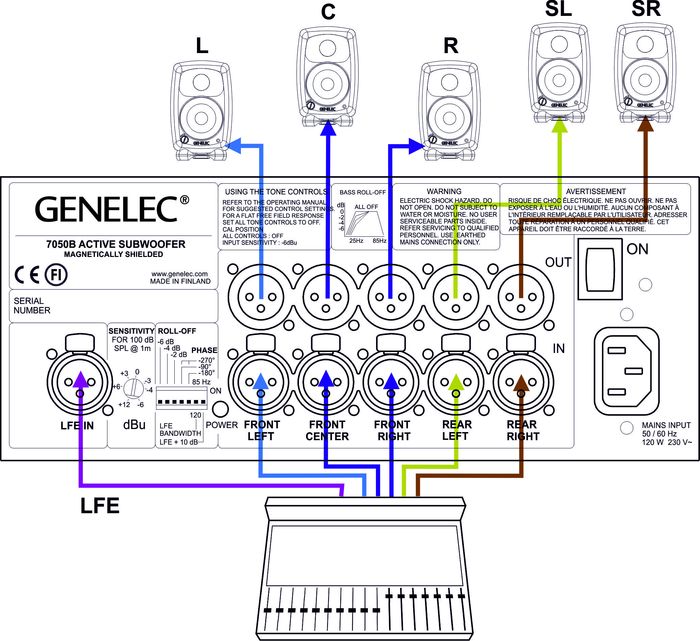
The 7050B subwoofer has balanced XLR IN/OUT connector pairs for five main channels and a dedicated LFE input connector for the LFE channel. Connect the signal cables from your source to the female XLR "IN" connectors on the lower connector row. Next connect XLR cables from the corresponding "OUT" male XLR connectors on the upper row to the input connectors of each 8020C monitor.
Turn the volume control knob on all 8020C’s monitors fully clockwise and switch the "Bass Roll-off" dip switch (switch 2) on all 8020C’s to "ON". This switch actuates an 85 Hz high-pass filter on the 8020C’s matching them to the main channel low-pass filter of the 7050B.
Alternatively you can connect to the 7050B a stereo pair of 8020C monitors by routing the signal cables from the source to the input connectors of the main monitors and an another pair of cables from the main monitors' output connectors to the "IN" connectors on the 7050B. In this configuration the volume controls on the main monitors affect the playback level of the 7050B too. The "Bass Roll-off" switch on the main monitors must also be switched to "ON" (switch 2).
FAQ
Connecting the 7050B Subwoofer
The 7050B subwoofer has balanced XLR IN/OUT connector pairs for five main channels and a dedicated LFE input connector for the LFE channel. Connect the signal cables from your source to the female XLR "IN" connectors on the lower connector row. Next connect XLR cables from the corresponding "OUT" male XLR connectors on the upper row to the input connectors of each 8020C monitor.
Turn the volume control knob on all 8020C’s monitors fully clockwise and switch the "Bass Roll-off" dip switch (switch 2) on all 8020C’s to "ON". This switch actuates an 85 Hz high-pass filter on the 8020C’s matching them to the main channel low-pass filter of the 7050B.
Alternatively you can connect to the 7050B a stereo pair of 8020C monitors by routing the signal cables from the source to the input connectors of the main monitors and an another pair of cables from the main monitors' output connectors to the "IN" connectors on the 7050B. In this configuration the volume controls on the main monitors affect the playback level of the 7050B too. The "Bass Roll-off" switch on the main monitors must also be switched to "ON" (switch 2).