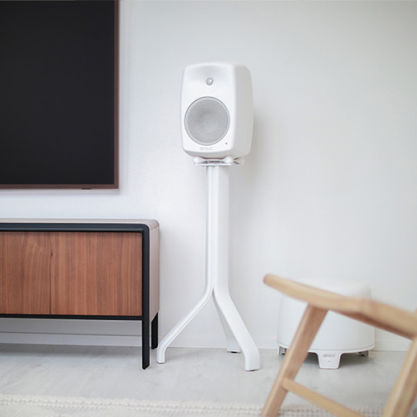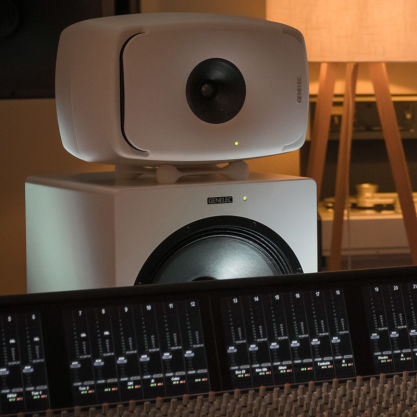
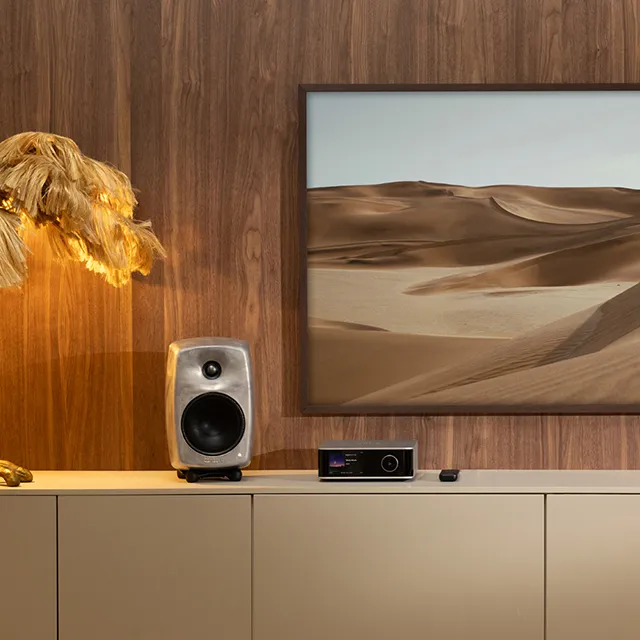


Offrant un niveau de pression acoustique SPL élevé et une réponse étendue dans les basses fréquences, le 7380A offre puissance, clarté et flexibilité à parts égales.
7380A
Subwoofer de Studio SAM™

Filtres actifs

Système de gestion des basses (Bass Management)

Niveau SPL
119 dB

Réponse en fréquence
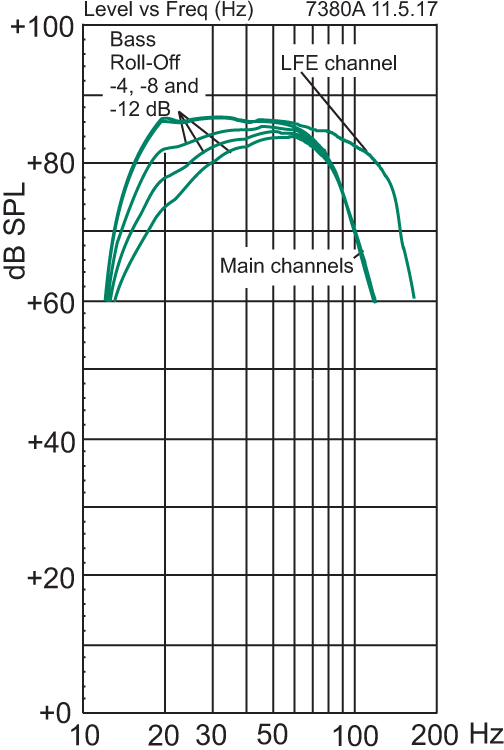
16 Hz - 100 Hz (-6 dB)

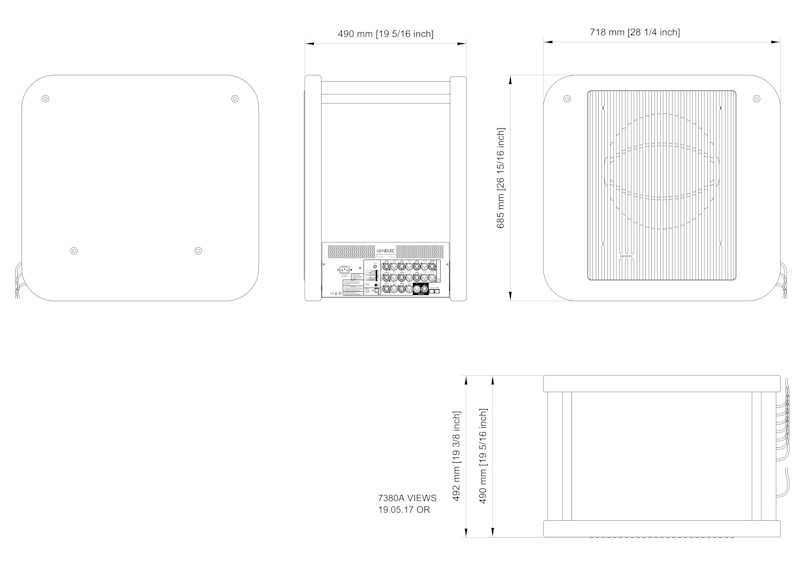
Dimensions
H 685 x W 718 x D 492 mm, (voir en pouces)

SPL élevé
Offrant des performances généralement réservées aux subwoofers beaucoup plus volumineux, le 7380A allie puissance et niveau de pression acoustique élevés, avec une réponse étendue dans les basses fréquences à faible distorsion et des options de gestion des basses flexibles. Sa connectivité complète lui permet de s'intégrer aussi bien en stéréo qu'en multicanal, ce qui le rend idéal pour les applications musicales, de post-production, cinématographiques ou de diffusion exigeant une reproduction des basses fréquences puissante et fiable dans un format étonnamment compact.
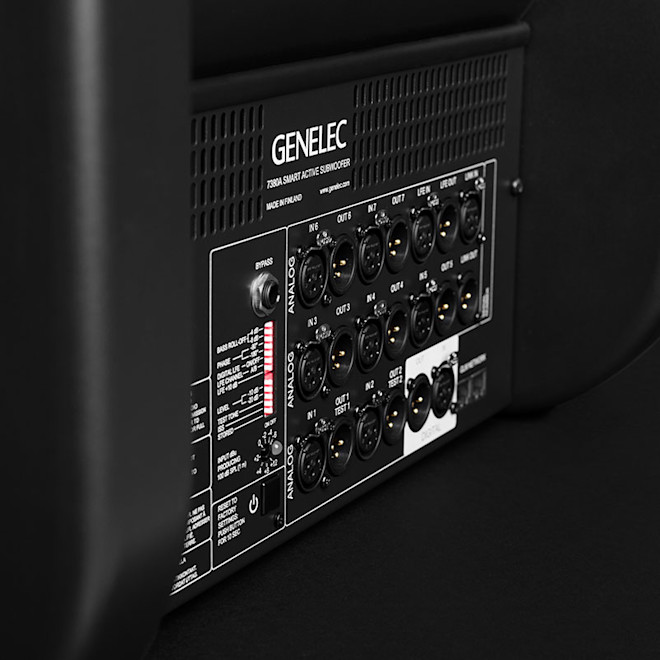
Configurer, calibrer et contrôler
Le 7380A fonctionne en étroite collaboration avec notre logiciel GLM, qui permet de configurer, calibrer et contrôler l'ensemble des moniteurs et subwoofers d'un système. Offrant un accès à l'auto-calibration et à la gestion avancées du système, les puissantes fonctions de compensation acoustique de GLM permettent d'optimiser le 7380A pour une grande variété d'environnements acoustiques et autorisent l'utilisation de modes de gestion des basses centralisés et distribués.
Genelec
7380A SAM™ Studio Subwoofer

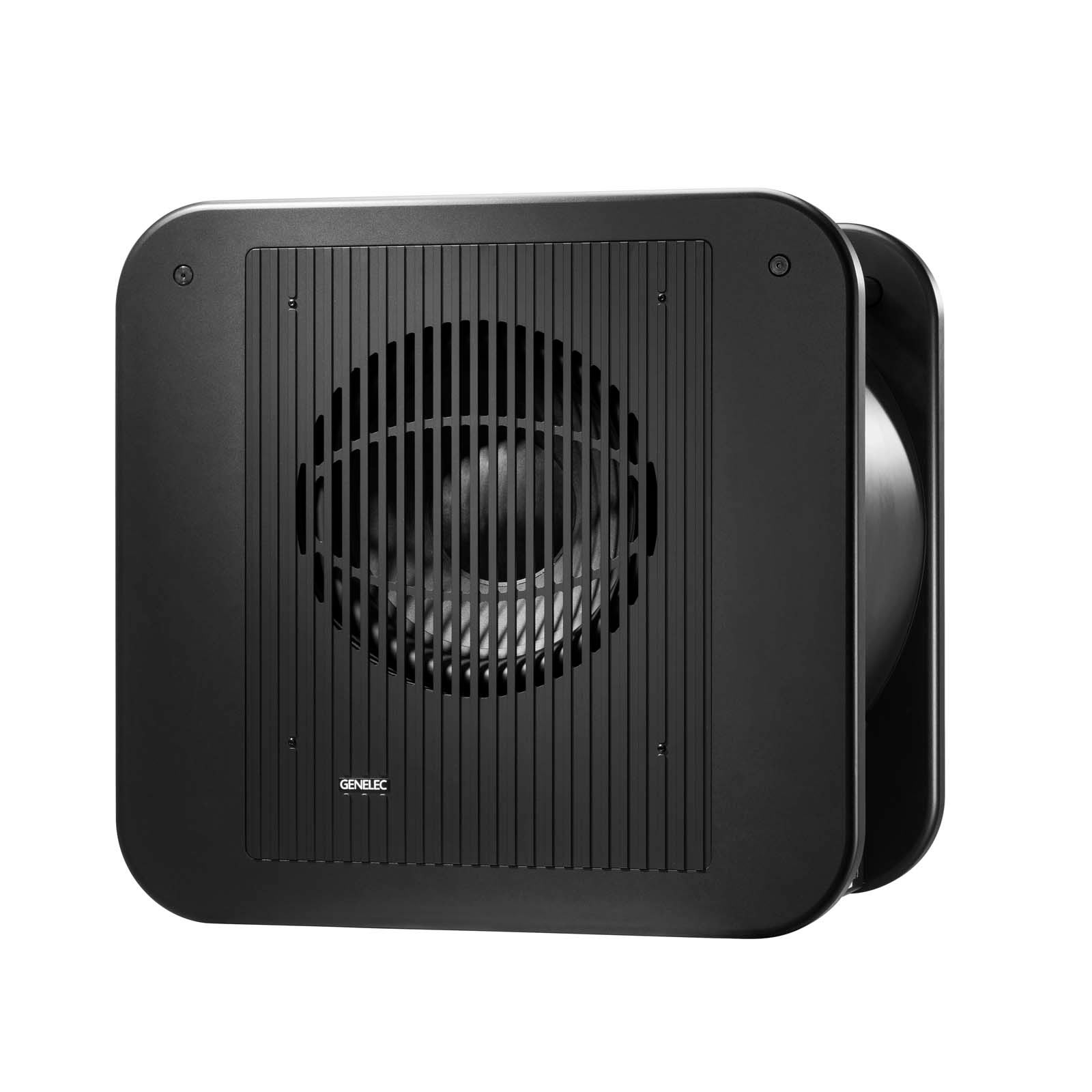

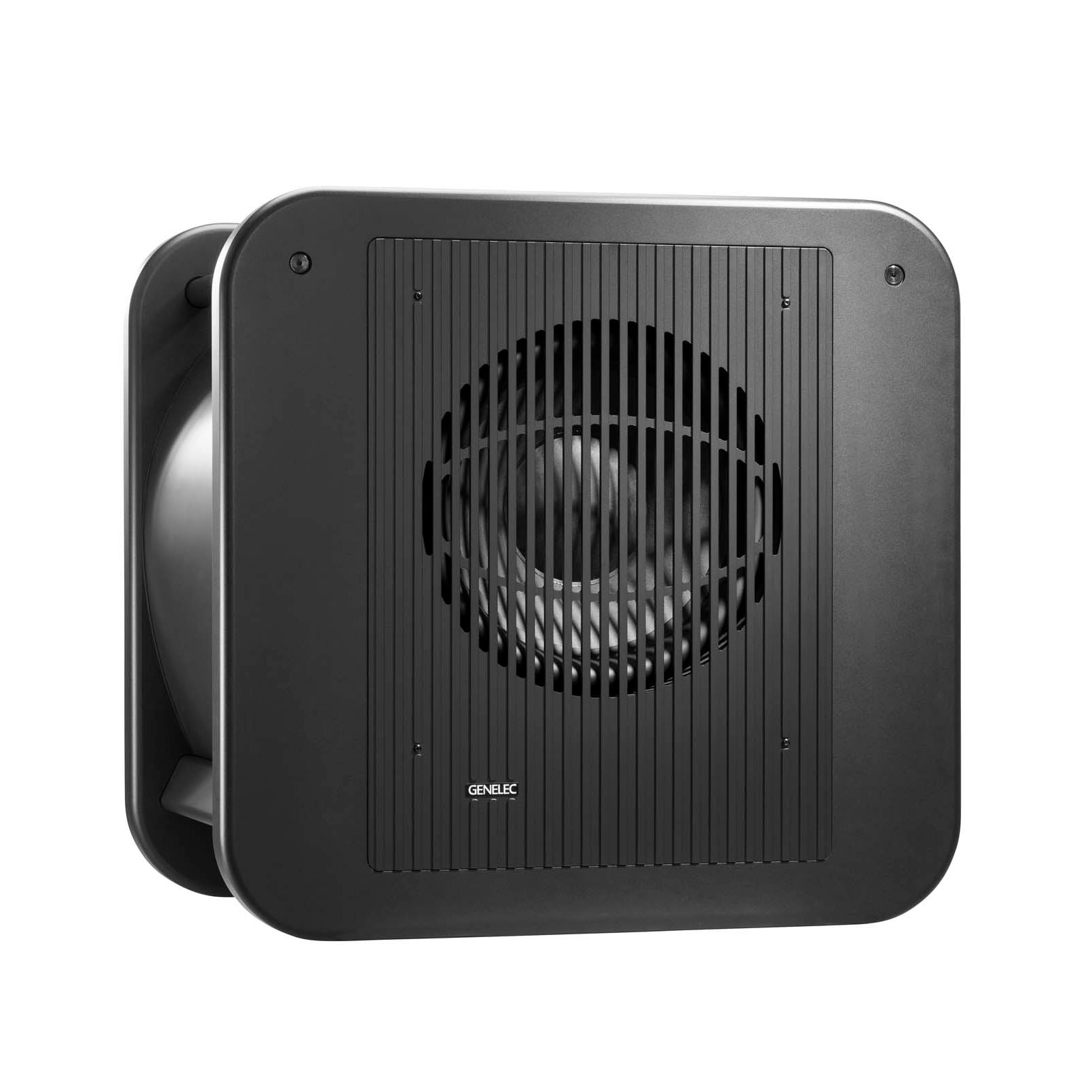
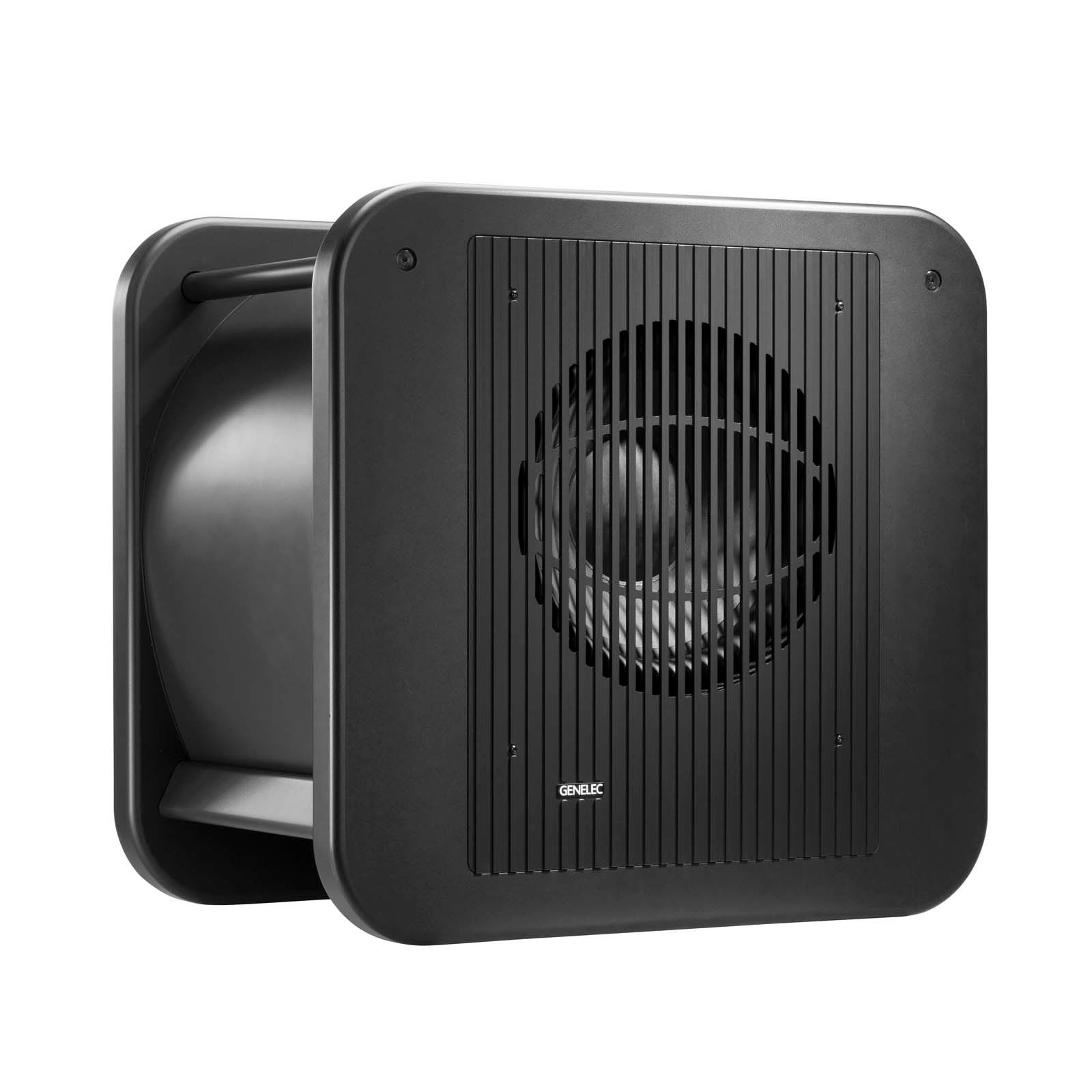
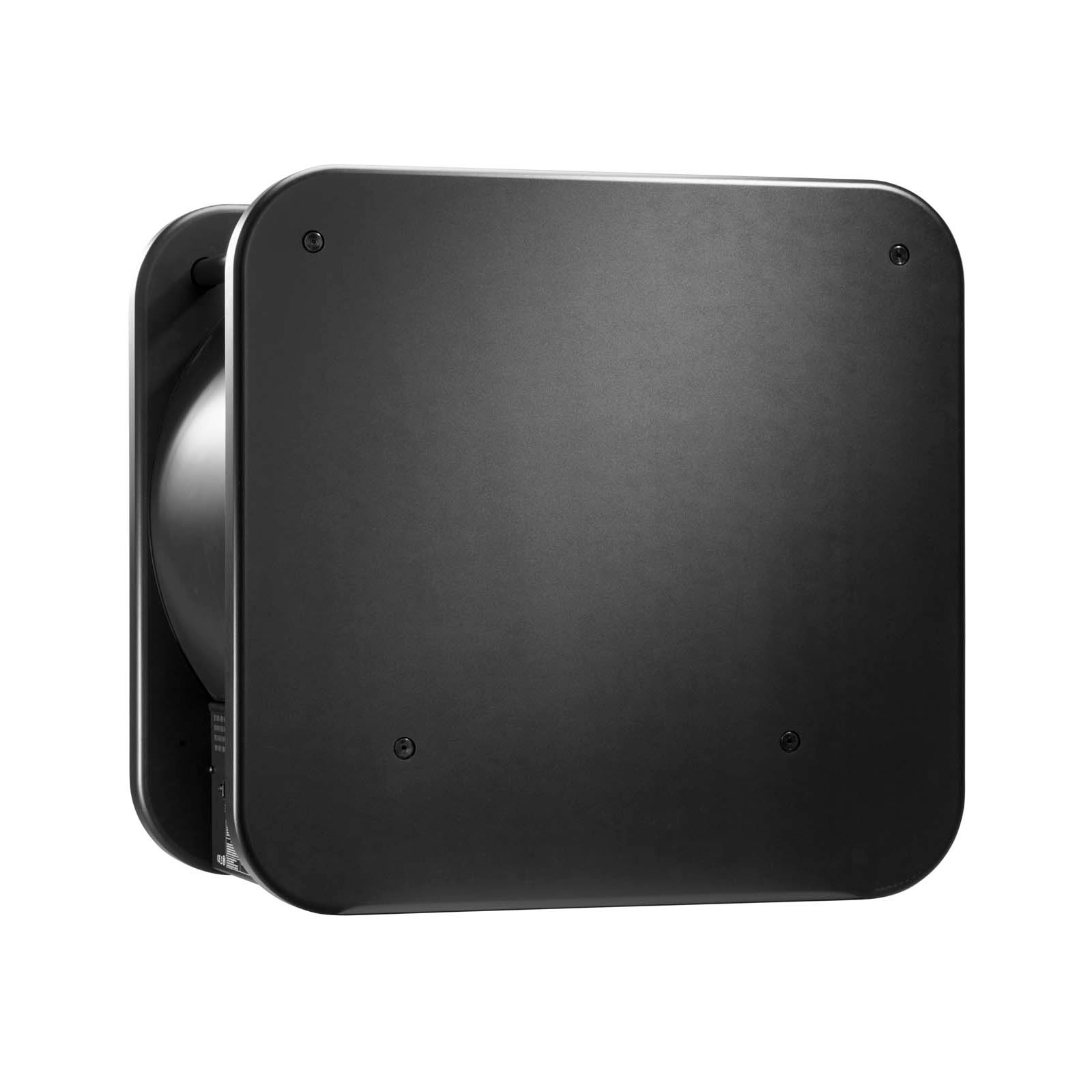

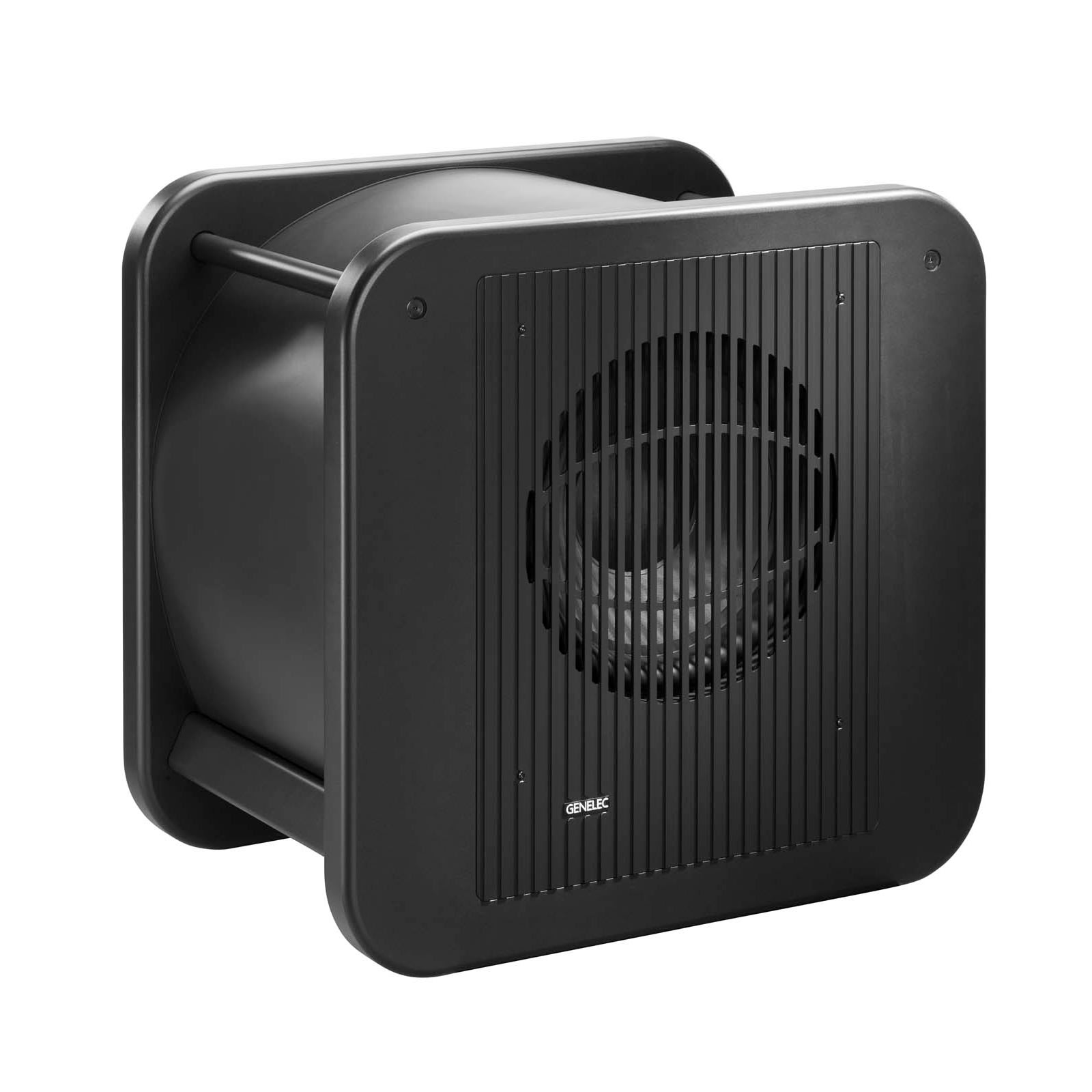
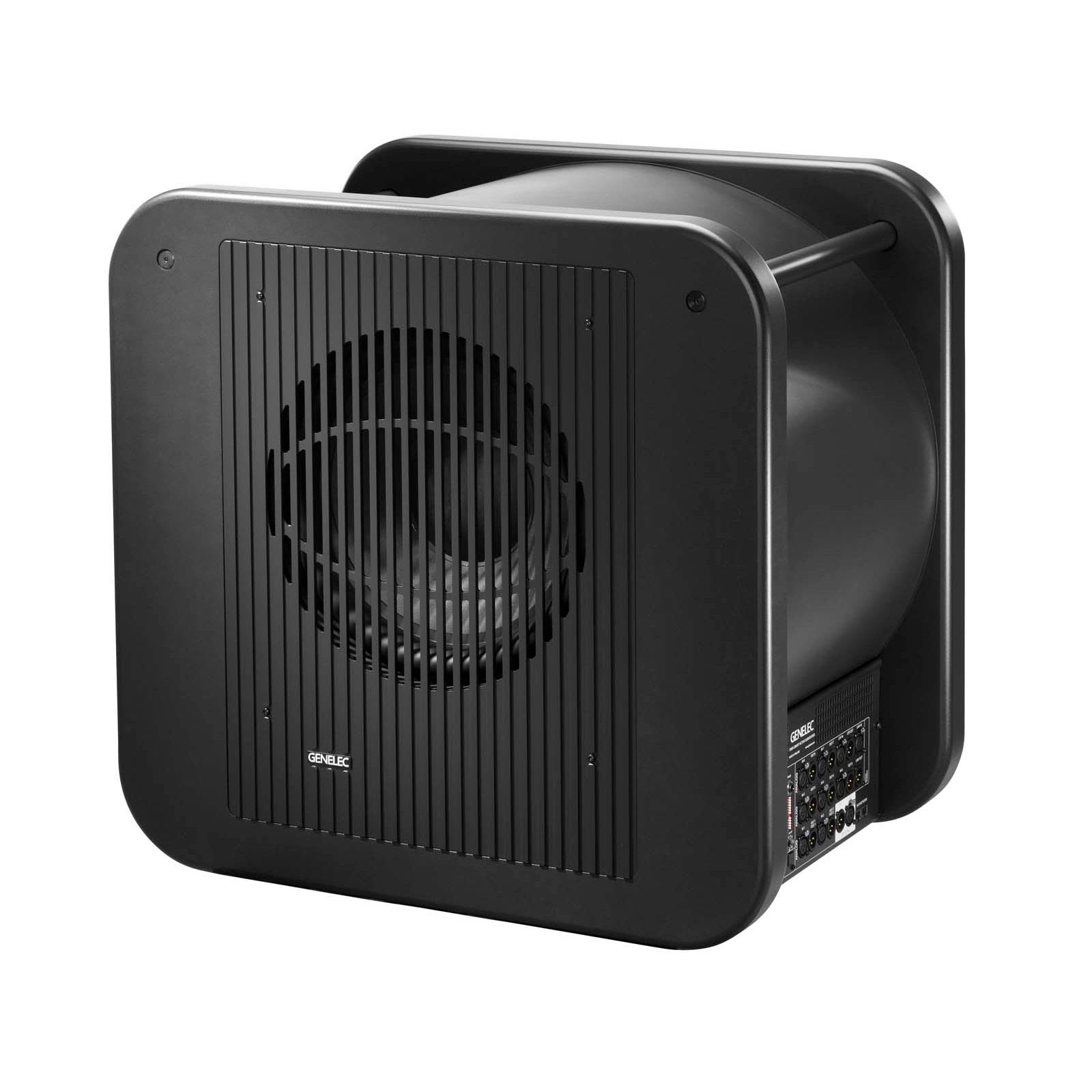
Options de couleur :
Genelec
7380A SAM™ Studio Subwoofer
7380A
Récompenses
Caractéristiques techniques
Niveau SPL
119 dB

Puissance de l’amplificateur
800 W Bass (Class D)
Réponse en fréquence
16 Hz - 100 Hz ("-6 dB")

Dimensions des haut-parleurs
⌀ 381 mm Bass (voir en pouces)
Dimensions
H 685 x W 718 x D 492 mm, (voir en pouces)

Poids
69 kg / 152.1 lb

Connexions
7 x XLR Analog Input
7 x XLR Analog Output
1 x XLR Analog Input
1 x XLR Analog Output
1 x XLR AES/EBU Input
1 x XLR AES/EBU Output
2 x RJ45 Control
1 x XLR Analog LFE Input
1 x XLR Analog LFE Output
7380A SAM™ Studio Subwoofer
Subwoofer de Studio SAM™
Caractéristiques techniques
Offrant un niveau de pression acoustique SPL élevé et une réponse étendue dans les basses fréquences, le 7380A offre puissance, clarté et flexibilité à parts égales.


Caractéristiques du système
Réponse en fréquence
Fréquence de coupure basse -6 dB
16 Hz
Fréquence de coupure haute -6 dB
100 Hz
Niveau SPL
SPL maximal Maximum peak SPL output with random pink noise, measured in half space at 1 meter.
≥123 dB
SPL maximal à court terme Maximum short term sine wave SPL output averaged from 30 to 85 Hz, measured in half space at 1 meter.
≥119 dB
Bruit propre
Bruit propre Self generated noise at 1 m on axis (A-weighted).
≤5 dB SPL
Poids
Poids69 kg (152.1 lb)
Dimensions
Hauteur
685 mm
Largeur
718 mm
Profondeur
492 mm
Boîtier d'enceinte
Type de boîtier
Reflex port
Haut-parleurs
Bass
Type de haut-parleur
Cone
Diamètre
381 mm
Distorsion harmonique
30...85 Hz, 2nd. ≤1 %
Section amplificateur
Amplificateurs
7380A bass amplifier
800 W Class D
Tension secteur
100-240 VAC 50/60Hz
Consommation électrique
ISS actif
≤2 W
Veille
≤40 W
Pleine puissance
600 W
Section de traitement du signal
Connecteurs
7 x Input 7.1 Analogue XLR input connectors XLR female, balanced 10 kOhm.
7 x Output 7.1 Analogue XLR output connectors XLR male.
Input Link In connector.
Output Link Out connector.
Input Digital signal input connector XLR female 110 Ohm.
Output Digital signal output / Thru connector XLR male 110 Ohm.
2 x Control Two CAT5 (RJ45) GLM Network connectors for computer control using the Genelec Loudspeaker Manager (GLM) software.
LFE Input
LFE Output XLR Analog LFE Output
Variantes du produit
Codes produit
Code
Informations produit
Code EAN
Code NC
7380AP
7380A SAM™ Studio Subwoofer
Pour davantage de détails techniques, veuillez consulter le manuel d’utilisation du produit.
Technologies clés

Filtres actifs

Système de gestion des basses (Bass Management)

Technologie Intelligent Signal Sensing (ISS™)

Laminar Spiral Enclosure (LSE™) Technology

Amplificateurs optimisés

Circuits de protection

Technologie Smart Active Monitoring (SAM™) et calibrage GLM™
Filtre actif fonctionnant à faible niveau de signal.
Les filtres électroniques audio permettent de diviser le signal audio en bandes de fréquences distinctes, chacune étant dirigée séparément vers des amplificateurs de puissance individuels, qui sont ensuite connectés à des transducteurs spécifiques optimisés pour une plage de fréquences donnée.

Les filtres actifs existent en versions numériques et analogiques. Les filtres actifs numériques Genelec incluent des traitements supplémentaires du signal, tels que la protection des transducteurs, le délai et l’égalisation.
Les filtres actifs analogiques Genelec contiennent des composants électroniques fonctionnant à faible niveau de signal, adapté aux entrées des amplificateurs de puissance. Cela contraste avec les filtres passifs, qui fonctionnent à des niveaux de signal élevés en sortie d’amplificateur. Ils doivent alors gérer des courants importants et, dans certains cas, des tensions élevées.
Dans un système deux voies typique, le filtre actif nécessite deux amplificateurs de puissance — un pour le woofer et un pour le tweeter.
La conception à filtre actif offre de multiples avantages :
- La réponse en fréquence devient indépendante des variations dynamiques des caractéristiques électriques des transducteurs ou du niveau de signal.
- Il existe une flexibilité et une précision accrues pour ajuster et affiner chaque réponse en fréquence de sortie pour les transducteurs spécifiques utilisés.
- Chaque transducteur dispose de son propre traitement du signal et de son propre amplificateur de puissance. Cela isole chaque transducteur des signaux d'attaque traités par les autres transducteurs, réduisant la distorsion d’intermodulation et les problèmes de surcharge.
- La capacité de compenser les variations de sensibilité entre les transducteurs.
- La possibilité de compenser les anomalies de réponse en fréquence et en phase associées aux caractéristiques d’un transducteur dans la bande passante prévue.
- La réponse en fréquence plate d’une enceinte active de haute qualité est le résultat de l’effet combiné de la réponse du filtre, des amplificateurs de puissance et des transducteurs dans une enceinte.
L’utilisation de l’approche active permet d’ajuster la réponse en fréquence et d’optimiser l’ensemble du système d’enceintes, placé dans différents environnements acoustiques, sans égaliseurs externes coûteux. Le résultat final est un système d’enceintes actives plus simple, plus fiable, plus efficace, cohérent et précis.
Le système de gestion des basses (Bass Management) traite le contenu basse fréquence multicanal.

Le principe de la gestion des basses consiste à diriger et à reproduire le contenu basse fréquence des canaux principaux ainsi que celui du canal LFE (Low Frequency Effect) uniquement via des enceintes capables de les traiter, qu'il s'agisse des enceintes du système principal ou d'un ou plusieurs subwoofers.
En reproduction stéréo, les signaux allant de 20 Hz à 20 kHz doivent être restitués. Les grands systèmes de monitoring multi-voies reproduisent une telle bande passante de manière uniforme. Dans le cas de l'audio multicanal, les systèmes audio professionnels et grand public doivent également être capables de reproduire le spectre audio de 20 Hz à 20 kHz pour chaque canal. Pour y parvenir, les enceintes principales, les subwoofers et l'électronique de filtrage (crossover) doivent fonctionner de concert.
Un système de gestion des basses utilise soit des circuits électroniques analogiques, soit un filtrage logiciel pour isoler les informations basse fréquence des canaux principaux et les acheminer vers l'entrée d'un ou plusieurs subwoofers.
Le canal LFE dédié peut également être restitué par ce subwoofer et combiné aux basses fréquences des autres canaux principaux. L'objectif fondamental de la gestion des basses est donc de garantir une écoute précise de l'intégralité de la bande passante audio de tous les canaux.

Les avantages du système de gestion des basses :
- Le subwoofer étend la réponse en fréquence du système jusqu'à la limite inférieure du spectre audible ;
- Les enceintes de monitoring peuvent atteindre un niveau sonore maximal plus élevé lorsqu'elles ne reproduisent pas les basses fréquences ;
- Reproduction optimisée des basses fréquences grâce au choix d'un emplacement adéquat pour le subwoofer; - Les moniteurs peuvent également être positionnés plus librement
- La sortie du subwoofer est alignée en niveau et en phase avec les moniteurs, permettant une reproduction linéaire et précise jusqu'à 19 Hz, y compris au niveau de la fréquence de coupure
- Le niveau de sortie du canal LFE (0 ou +10 dB par rapport aux canaux principaux) peut être sélectionné pour garantir une reproduction fidèle selon le type de source
- La possibilité de bypasser le subwoofer permet d'évaluer son impact sonore
Intelligent Signal Sensing (ISS™) pour réduire la consommation d'énergie en mode veille.

Lancée début 2013, la technologie Intelligent Signal Sensing (ISS™) de Genelec a été développée pour répondre à la fois aux directives ErP de l'Union européenne et aux normes ambitieuses de Genelec en matière de développement durable.
Le circuit ISS™ surveille le signal d'entrée de l'enceinte et détecte si celle-ci est utilisée. Si le circuit ISS ne détecte aucun signal audio à l'entrée pendant une certaine durée, il bascule l'enceinte dans un mode veille à basse consommation (inférieure à 0,5 watt). Dès qu'un signal d'entrée est détecté, l'enceinte se rallume immédiatement.
Par ailleurs, un commutateur de désactivation ISS (« ISS Disable ») est situé sur le panneau arrière de chaque produit, à côté des autres commandes de correction acoustique. Par défaut, lorsque l'interrupteur d'alimentation principal de l'enceinte est sur « ON », la fonction de démarrage automatique ISS™ (activation/désactivation du mode veille basse consommation) est active.
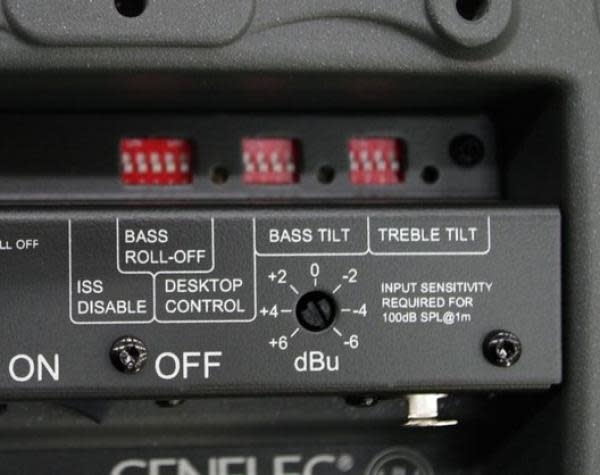
Si cette fonction n'est pas souhaitée, elle peut être désactivée en plaçant le commutateur « ISS Disable » du panneau arrière sur la position « ON ». Dans ce mode, l'enceinte ne s'allume et ne s'éteint qu'au moyen de l'interrupteur d'alimentation principal.
Notez que l'interrupteur d'alimentation principal permet toujours d'éteindre complètement l'enceinte.
Highly efficient Laminar Spiral Enclosure (LSE™) provides accurate low frequency reproduction.

The demands placed on subwoofers over the last years have increased substantially to the point where traditional design concepts are no longer valid. For Genelec, in order to achieve the absolute best performance possible, bold initiatives must be taken.
Drawing on years of acoustic research and knowledge, Genelec's engineering group accepted the challenges placed upon them in the beginning of the 21st Century. The totally unique, curvilinear shape of the LSE™ Series Active Subwoofer enclosure is the revolutionary patented result of their efforts.
All of the Genelec LSE™ series subwoofers feature this innovative Laminar Spiral Enclosure™ (LSE™) bass reflex cabinet. It provides excellent laminar flow characteristics with minimal turbulence noise and enables an optimal packing of a very long reflex tube into a small space.

The learnings from the LSE Technology are also utilized in the reflex port design of our aluminium enclosure products.
The spiral-shaped design yields an extremely rigid enclosure exterior while also forming the subwoofer's integral port. The fact that one is part of the other means that air flow in and out of the enclosure's interior through the port is totally unrestricted. This results in an extraordinarily accurate and responsive low-frequency system with measured second and third harmonic distortion levels typically better than 30 dB below the fundamental.

When combined with Genelec stereo and multichannel bass management active electronics, the LSE™ Series Subwoofers provide a low-frequency listening experience like no other. The result is a product range with impeccable technical performance: The Genelec LSE subwoofer range is unique, complete, functional, different from any other products on the market, and consistent.
Chaque transducteur est alimenté par son propre amplificateur optimisé.

Les filtres électroniques audio permettent de diviser le signal audio en bandes de fréquences distinctes, lesquelles sont acheminées séparément vers des amplificateurs de puissance individuels ; ces derniers sont ensuite reliés à des transducteurs spécifiques, optimisés pour une bande de fréquences donnée.
Dans un système d'enceintes deux voies classique, le filtre actif nécessite deux amplificateurs de puissance : un pour le haut-parleur de graves (woofer) et un pour le tweeter. Les amplificateurs sont connectés directement aux haut-parleurs de l'enceinte active ; la charge vue par l'amplificateur s'en trouve ainsi simplifiée et parfaitement définie. Chaque amplificateur dédié à un haut-parleur n'a qu'une plage de fréquences limitée à amplifier (puisqu'il est placé en aval du filtre actif), ce qui facilite la conception.
Le principe de conception active offre de nombreux avantages :
- Les amplificateurs de puissance sont connectés directement aux haut-parleurs, ce qui maximise le contrôle exercé par l'amortissement de l'amplificateur sur la bobine mobile du haut-parleur et réduit les conséquences des variations dynamiques des caractéristiques électriques de ce dernier. Cela peut améliorer la réponse transitoire du système.
- Les exigences en matière de puissance de sortie de l'amplificateur sont réduites. En l'absence de perte d'énergie dans les composants d'un filtre passif, la puissance requise en sortie d'amplificateur diminue considérablement (jusqu'à 50 % dans certains cas) sans pour autant réduire la puissance acoustique délivrée par le système. Cela permet de réduire les coûts tout en améliorant la qualité audio et la fiabilité du système.
- L'absence de perte entre l'amplificateur et les haut-parleurs garantit une efficacité acoustique maximale.
- La technologie active permet d'obtenir des performances supérieures en termes de rapport entre puissance sonore, encombrement et fréquence de coupure basse.
- Toutes les enceintes sont livrées sous forme de système calibré en usine (amplificateurs, électronique de filtrage et ensemble boîtiers d'enceinte/haut-parleurs).
Circuit de protection sophistiqué pour un fonctionnement en toute sécurité.

Dans les environnements de production audio critiques, il est essentiel que les systèmes de monitoring restent fiables et opérationnels à tout moment. L'une des principales raisons du succès de Genelec dans le secteur de la diffusion (broadcast) réside dans la fiabilité de nos produits ; un élément clé de cette fiabilité est le circuit de protection interne dont sont dotés tous nos modèles depuis 1978.
Ce circuit prévient les défaillances des haut-parleurs en surveillant les niveaux de signal et en réduisant automatiquement le niveau en cas de pics soudains ou de niveaux excessivement élevés et soutenus. Bien entendu, cette fonction n'altère en rien la qualité sonore tant que l'utilisation reste conforme aux spécifications de l'enceinte ; elle a simplement pour rôle d'empêcher que des signaux d'entrée inappropriés n'endommagent le haut-parleur.
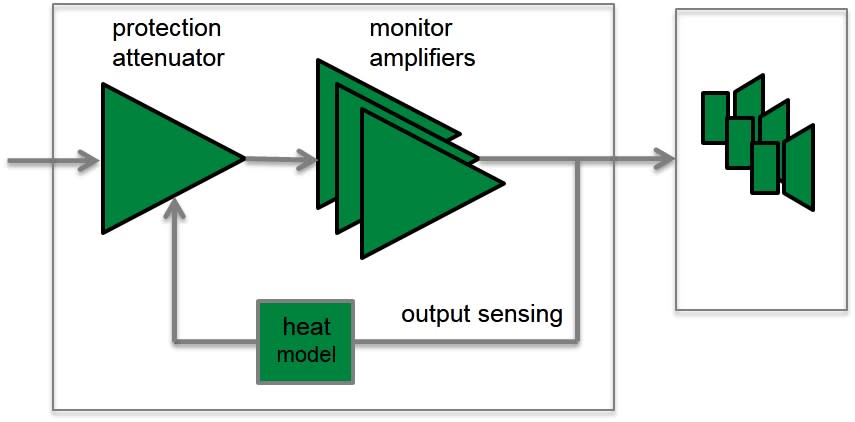
Caractéristiques et avantages des circuits de protection :
- Réduit le niveau de sortie lorsque nécessaire (par exemple, lorsque la température de la bobine mobile du haut-parleur atteint la limite de sécurité), ce qui améliore considérablement la fiabilité du système.
- La conception appropriée des circuits de protection dans chaque enceinte et subwoofers permet de maximiser le niveau de sortie sonore du système.
Produits associés

1032C
Moniteur de Studio SAM™

7360A
Subwoofer de Studio SAM™

7370A
Subwoofer de Studio SAM™

7382A
Subwoofer de Studio SAM™

8341A
Moniteur de studio SAM™

8351B
Moniteur de studio SAM™

1237A
Moniteur de Studio SAM™

1238A
Moniteur de Studio SAM™

1238AC
Moniteur de Studio SAM™

1238DF
Moniteur de Studio SAM™

Kit de Calibrage GLM

9301B Interface AES/EBU Multicanaux
AES/EBU Multichannel Interface
Références


Genelec UNIO Explained | How the ecosystem offers seamless in-room and personal headphone monitoring
Using GLM | Walkthrough
Using GLM | The foundations
Using GLM | Controlling GLM with MIDI
Using GLM | GRADE Room Acoustic Report
Using GLM | Calibration Group IDs
Using GLM | Accounts and product registration
Using GLM | The technical details
Genelec UNIO Explained | How the ecosystem offers seamless in-room and personal headphone monitoring
A quick guide to our UNIO Ecosystem – which offers audio engineers seamless bridging of in-room and personal headphone monitoring. https://genelec.com/UNIO
The Genelec UNIO Ecosystem – which combines the power of our renowned GLM, SAM Monitoring and Aural ID adaptive technologies – gives audio engineers the flexibility to work anywhere, anytime, from stereo to immersive. And now, with the new UNIO Personal Reference Monitoring (PRM) solution, audio professionals benefit from the pinpoint accuracy of our pioneering active monitoring headphone solution, which combines the 9320A SAM Reference Controller with uniquely factory-calibrated 8550A Professional Reference Headphones.
To learn more, visit https://genelec.com/UNIO
LowBeats Online-HiFi-Magazin: Genelec 1238A + 7380A review, September 2018 (DE)
LowBeats magazine's online review of Genelec 1238A studio monitor and 7380A studio subwoofer. The review is in German.
{"fi-FI":"LowBeats magazine's [review](https://www.lowbeats.de/test-aktivmonitore-genelec-1238a-mit-subwoofer-7380a/ "Test Aktivmonitore Genelec 1238A + Subwoofer 7380A \u2013 Trio Grande") of Genelec 1238A studio monitor and 7380A studio subwoofer. The review is in German, and it is written by Jürgen Schröder. It was published on LowBeats website in September 2018.","ru-RU":"LowBeats magazine's [review](https://www.lowbeats.de/test-aktivmonitore-genelec-1238a-mit-subwoofer-7380a/ "Test Aktivmonitore Genelec 1238A + Subwoofer 7380A \u2013 Trio Grande") of Genelec 1238A studio monitor and 7380A studio subwoofer. The review is in German, and it is written by Jürgen Schröder. It was published on LowBeats website in September 2018.","de-DE":"LowBeats magazine's [review](https://www.lowbeats.de/test-aktivmonitore-genelec-1238a-mit-subwoofer-7380a/ "Test Aktivmonitore Genelec 1238A + Subwoofer 7380A \u2013 Trio Grande") of Genelec 1238A studio monitor and 7380A studio subwoofer. The review is in German, and it is written by Jürgen Schröder. It was published on LowBeats website in September 2018.","en-US":"LowBeats magazine's [review](https://www.lowbeats.de/test-aktivmonitore-genelec-1238a-mit-subwoofer-7380a/ "Test Aktivmonitore Genelec 1238A + Subwoofer 7380A \u2013 Trio Grande") of Genelec 1238A studio monitor and 7380A studio subwoofer. The review is in German, and it is written by Jürgen Schröder. It was published on LowBeats website in September 2018.","sv-SE":"LowBeats magazine's [review](https://www.lowbeats.de/test-aktivmonitore-genelec-1238a-mit-subwoofer-7380a/ "Test Aktivmonitore Genelec 1238A + Subwoofer 7380A \u2013 Trio Grande") of Genelec 1238A studio monitor and 7380A studio subwoofer. The review is in German, and it is written by Jürgen Schröder. It was published on LowBeats website in September 2018.","pt-BR":"LowBeats magazine's [review](https://www.lowbeats.de/test-aktivmonitore-genelec-1238a-mit-subwoofer-7380a/ "Test Aktivmonitore Genelec 1238A + Subwoofer 7380A \u2013 Trio Grande") of Genelec 1238A studio monitor and 7380A studio subwoofer. The review is in German, and it is written by Jürgen Schröder. It was published on LowBeats website in September 2018.","es-ES":"LowBeats magazine's [review](https://www.lowbeats.de/test-aktivmonitore-genelec-1238a-mit-subwoofer-7380a/ "Test Aktivmonitore Genelec 1238A + Subwoofer 7380A \u2013 Trio Grande") of Genelec 1238A studio monitor and 7380A studio subwoofer. The review is in German, and it is written by Jürgen Schröder. It was published on LowBeats website in September 2018.","fr-FR":"LowBeats magazine's [review](https://www.lowbeats.de/test-aktivmonitore-genelec-1238a-mit-subwoofer-7380a/ "Test Aktivmonitore Genelec 1238A + Subwoofer 7380A \u2013 Trio Grande") of Genelec 1238A studio monitor and 7380A studio subwoofer. The review is in German, and it is written by Jürgen Schröder. It was published on LowBeats website in September 2018.","ja-JP":"LowBeats magazine's [review](https://www.lowbeats.de/test-aktivmonitore-genelec-1238a-mit-subwoofer-7380a/ "Test Aktivmonitore Genelec 1238A + Subwoofer 7380A \u2013 Trio Grande") of Genelec 1238A studio monitor and 7380A studio subwoofer. The review is in German, and it is written by Jürgen Schröder. It was published on LowBeats website in September 2018."}
Trouver un revendeur
 Filtres

Documentation
Documents
Operating Manual 7380A SAM™ Series Full Line Catalogue Bass Management User Guide Daisy-Chained Subwoofers and LFE Channel Management Immersive Solutions Brochure Genelec Home Studio Audio Monitoring Guide (2023) 7380A Operating Manual (Chinese)FAQ
The Classic 8000 Series monitors have an analogue input. The 7200 Series SAM subwoofers have AES/EBU digital outputs only. However, other 7300 Series SAM subwoofers have analogue inputs and outputs and can be used also with analogue monitors.
Which SAM™ Products You Are Going to Mix With the Classic 8000 Series?
Mixing 8000 Series and SAM™ monitors is not recommended
We do not recommend mixing Classic 8000 Series monitors with SAM™ Monitors.
If the analogue input sensitivity of 8000 Series and SAM™ Series monitors are the same, Genelec SAM™ Monitors exhibit a slightly larger latency (< 5 ms) than 8000 Series monitors. Therefore Classic 8000 Series and SAM™ Series monitors should not be mixed in a stereo pair or multichannel setup.
It is alright to mix Classic 8000 Series with SAM™ Subwoofers
However, it is okay to mix the Classic 8000 Series monitors with SAM™ Subwoofers. Any Classic 8000 Series monitors can be used with SAM™ Subwoofers, in any stereo or multichannel setup.
Setting the room response calibration controls
Genelec monitors are calibrated flat in anechoic free field conditions. When the monitor is placed in a room close to walls or other boundaries, the low frequency output of the monitor increases. To achieve a flat low frequency response an adjustment of typically -4 dB on the bass tilt control is used. Genelec also provides a bass roll-off control to compensate for any remaining excessive LF energy around the low cut-off frequency.
Genelec GLM AutoCal can implement a more precise compensation after measuring the acoustic effects produced by the monitor’s installation location.
Differences in room reverberation time and listening distance can lead to changes being required in the treble region so treble tilt is fitted to most of the models in the Genelec range.
In three-way monitors and large main systems there are additional driver controls for the bass level, mid level and treble level which enable very fine adjustment of the frequency response so that the monitors can be placed in many different listening environments, whilst still achieving a consistent and neutral sound reproduction.
The best way to set the room response controls of a Genelec monitor is by taking an acoustical measurement at the listening location, using a measurement system for those products that offer local controls (DIP switches) on the monitor or subwoofer, or by using GLM AutoCal for the SAM™ (Smart Active Monitoring) products.
LowBeats Online-HiFi-Magazin: Genelec 1238A + 7380A review, September 2018 (DE)
LowBeats magazine's online review of Genelec 1238A studio monitor and 7380A studio subwoofer. The review is in German.
LowBeats magazine's review of Genelec 1238A studio monitor and 7380A studio subwoofer. The review is in German, and it is written by Jürgen Schröder. It was published on LowBeats website in September 2018.
The Classic 8000 Series monitors have an analogue input. The 7200 Series SAM subwoofers have AES/EBU digital outputs only. However, other 7300 Series SAM subwoofers have analogue inputs and outputs and can be used also with analogue monitors.
Which SAM™ Products You Are Going to Mix With the Classic 8000 Series?
Mixing 8000 Series and SAM™ monitors is not recommended
We do not recommend mixing Classic 8000 Series monitors with SAM™ Monitors.
If the analogue input sensitivity of 8000 Series and SAM™ Series monitors are the same, Genelec SAM™ Monitors exhibit a slightly larger latency (< 5 ms) than 8000 Series monitors. Therefore Classic 8000 Series and SAM™ Series monitors should not be mixed in a stereo pair or multichannel setup.
It is alright to mix Classic 8000 Series with SAM™ Subwoofers
However, it is okay to mix the Classic 8000 Series monitors with SAM™ Subwoofers. Any Classic 8000 Series monitors can be used with SAM™ Subwoofers, in any stereo or multichannel setup.
Setting the room response calibration controls
Genelec monitors are calibrated flat in anechoic free field conditions. When the monitor is placed in a room close to walls or other boundaries, the low frequency output of the monitor increases. To achieve a flat low frequency response an adjustment of typically -4 dB on the bass tilt control is used. Genelec also provides a bass roll-off control to compensate for any remaining excessive LF energy around the low cut-off frequency.
Genelec GLM AutoCal can implement a more precise compensation after measuring the acoustic effects produced by the monitor’s installation location.
Differences in room reverberation time and listening distance can lead to changes being required in the treble region so treble tilt is fitted to most of the models in the Genelec range.
In three-way monitors and large main systems there are additional driver controls for the bass level, mid level and treble level which enable very fine adjustment of the frequency response so that the monitors can be placed in many different listening environments, whilst still achieving a consistent and neutral sound reproduction.
The best way to set the room response controls of a Genelec monitor is by taking an acoustical measurement at the listening location, using a measurement system for those products that offer local controls (DIP switches) on the monitor or subwoofer, or by using GLM AutoCal for the SAM™ (Smart Active Monitoring) products.