

Application Aural ID
Monitoring binaural virtuel et flexible
Notre logiciel Aural ID pour macOS transforme les casques professionnels en un outil puissant et ultra-mobile pour une production audio de précision, couvrant tous les formats, de l'audio immersif à grande échelle jusqu'à la stéréo.
Essayez l'application Aural ID pendant 30 jours grâce à notre offre d'essai gratuite.
Accédez au monitoring de studio où que vous soyez
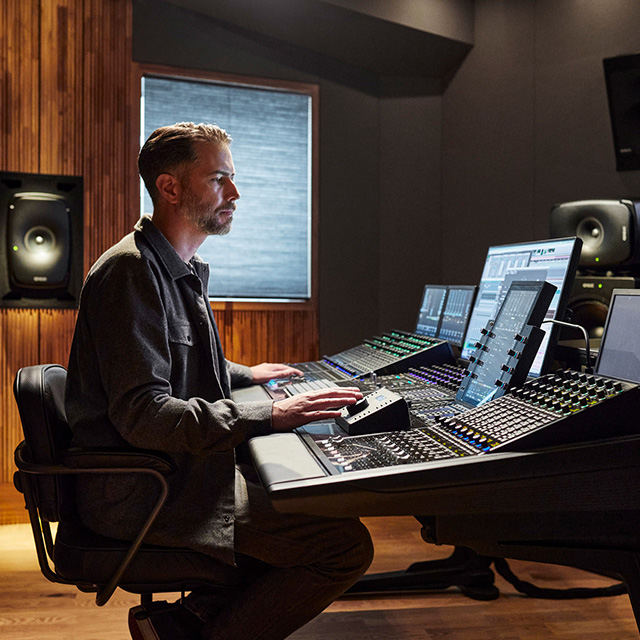
Que vous travailliez dans les domaines de la musique, du cinéma, de la diffusion, du jeu vidéo ou de la recherche universitaire — en utilisant des configurations stéréo, immersives ou autres — l'application Aural ID et son module de suivi de la tête (Head Tracker) traitent les signaux des canaux vers la sortie casque de votre choix. Vous bénéficiez ainsi, au casque, d'une expérience d'écoute neutre et spatialement fidèle, très proche de celle offerte par des enceintes de monitoring en studio.
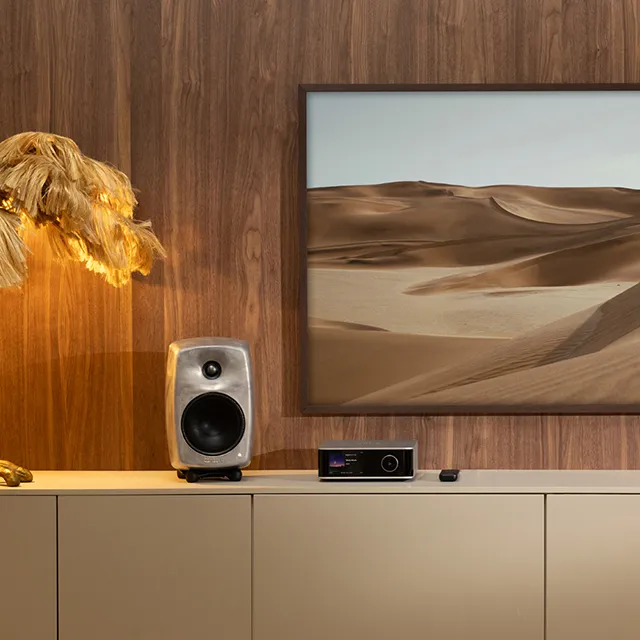
Bien que les moniteurs de studio calibrés de haute qualité – tels que nos modèles SAM™ – soient inégalés en matière de précision de monitoring, le monitoring virtuel binaural via l'application Aural ID offre une précision comparable au casque. En somme, l'application Aural ID assure une transition fluide entre le monitoring en studio et au casque, vous permettant ainsi de travailler avec fiabilité et constance, où que vous soyez.
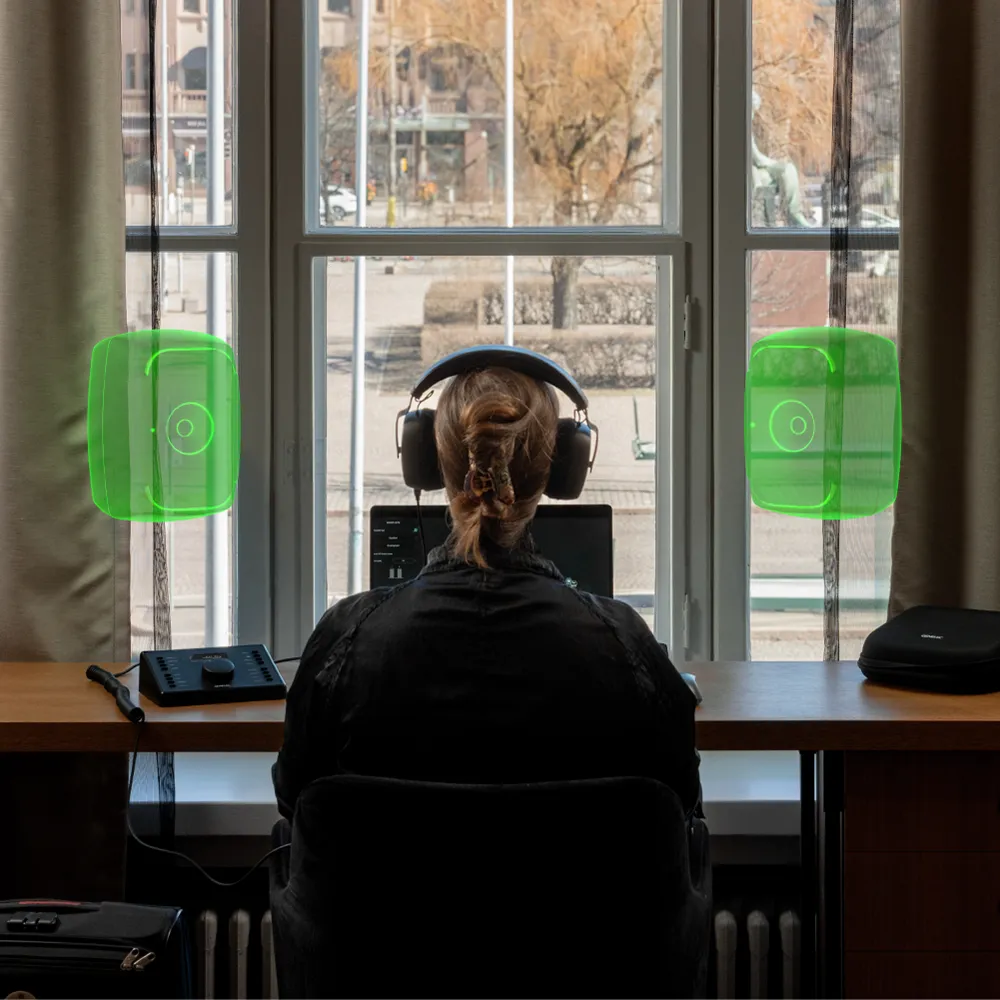
Le son est universel. La façon dont nous le vivons est profondément personnelle.
Comment l'application Aural ID peut-elle garantir que mon expérience est adaptée à mon profil personnel ?
L'application Aural ID intègre les profils HRTF des simulateurs de tête et de torse KEMAR et KU100, largement répandus. Toutefois, pour ceux qui recherchent une précision absolue au casque, Genelec propose une fidélité optimale grâce à une mise à niveau vers votre profil HRTF Aural ID personnalisé, lequel reflète toutes les subtilités de votre audition directionnelle.
L'obtention de votre Aural ID HRTF permet de déterminer à l'avance la réponse de votre système auditif selon 836 directions de provenance du son, garantissant ainsi une grande flexibilité dans l'ajustement précis de la restitution sonore, le tout grâce à une méthodologie scientifiquement éprouvée.
Comment mon Aural ID HRTF est-il créé ?
Commander votre HRTF Aural ID est simple. Tout d'abord, grâce à notre application mobile intuitive Aural ID Creator, vous recueillez les données nécessaires à notre processus de photogrammétrie. Ensuite, l'équipe d'experts de Genelec crée un modèle 3D à 360 degrés de la partie supérieure de votre corps, incluant les détails précis de votre tête et de vos oreilles, avant de modéliser avec soin la manière dont votre morphologie influence le son parvenant à vos oreilles – aboutissant ainsi à votre propre HRTF.
La sélection de votre propre HRTF dans l'application Aural ID vous permet d'entendre toutes les nuances de votre mix audio et de percevoir les ajustements les plus subtils concernant l'emplacement individuel des enceintes virtuelles, les niveaux et la coloration sonore du système, pour une précision de monitoring optimale.
Pour plus de détails, lisez l'article d'Aki Mäkivirta, directeur technique de Genelecin-depth blog.
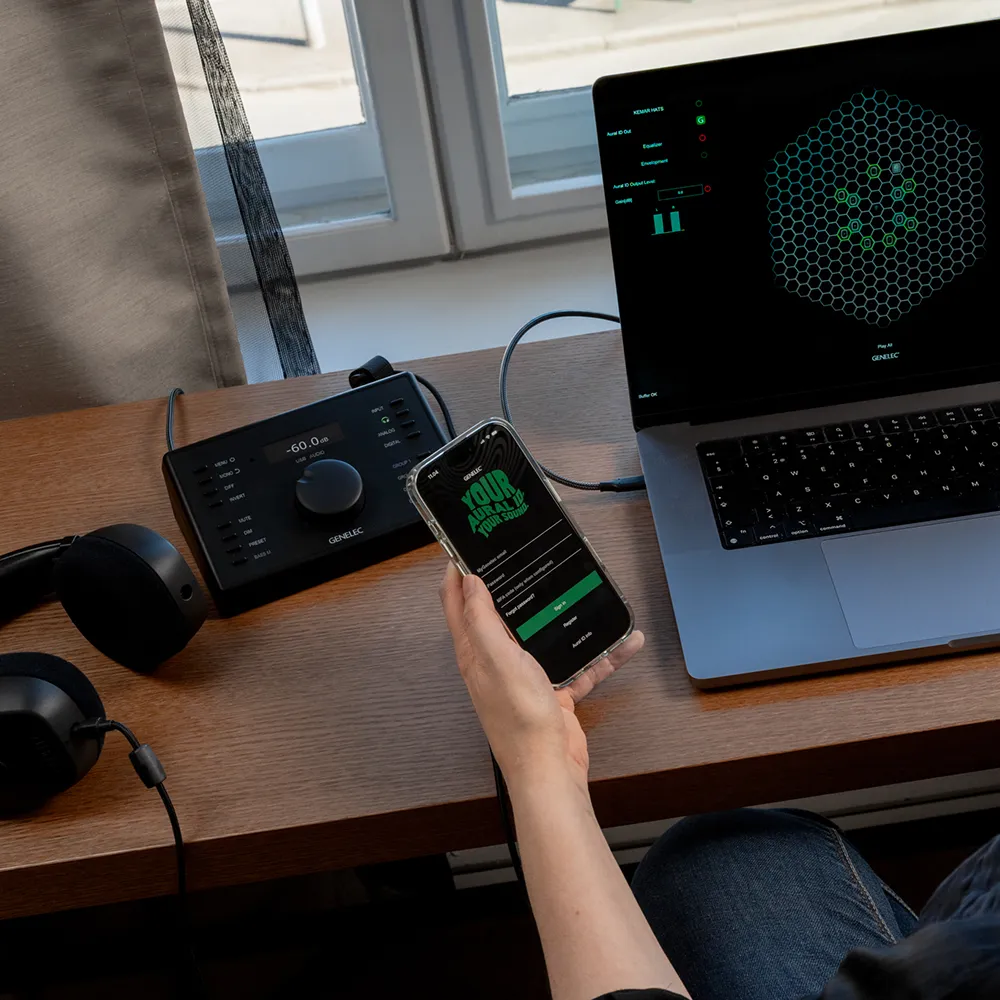
Commencer
Cliquez sur le menu déroulant pour une comparaison plus détaillée des formules de licence et des tarifs – et n'oubliez pas de profiter de notre essai gratuit de 30 jours, qui vous permet de tester l'application Aural ID avec le profil universel KEMAR.

Essai gratuit de 30 jours
Essayez Aural ID gratuitement pendant 30 jours avec le profil universel KEMAR. Aucune carte de crédit requise.
Includes
- Accès gratuit à Aural ID pendant 30 jours, à utiliser avec le profil HRTF universel KEMAR.

Abonnement annuel
Commencez à utiliser immédiatement Aural ID grâce au profil universel KEMAR, et passez à votre profil HRTF Aural ID unique à tout moment.
Inclue
- Accès annuel à l'application Aural ID (utilisant des profils HRTF génériques KEMAR et KU100) et au traceur de mouvements de tête Aural ID.
- Toutes les mises à jour logicielles pendant la durée de l'abonnement.
Options supplémentaires
- Créez et utilisez votre profil HRTF Aural ID unique pour un paiement unique de 225 €.
- Fichier SOFA de votre HRTF Aural ID pour une utilisation avec des logiciels tiers, moyennant un paiement unique de 100 €.

Licence perpétuelle
Ce paiement unique vous donne accès à la solution complète et personnalisée de monitoring virtuel binaural Aural ID 2, ainsi qu'au droit de l'utiliser aussi longtemps que vous le souhaitez.
Inclue
- Accès perpétuel à l'application Aural ID 2.x et à l'Aural ID Head Tracker.
- Toutes les mises à jour de la version 2.x.
- Votre profil HRTF Aural ID unique.
- Votre fichier SOFA personnel contenant votre HRTF Aural ID, destiné aux logiciels tiers.
Options supplémentaires
- Futures mises à jour majeures du logiciel Aural ID pour 150 €.

Version d'entreprise
Nous proposons des solutions sur mesure pour les grandes organisations – telles que les universités – comptant de nombreux auditeurs qui nécessitent leurs propres profils HRTF « Aural ID » uniques pour garantir une grande précision.
Inclue
- Accès à l'application Aural ID 2.x et au capteur de suivi de tête Aural ID.
- Toutes les mises à jour de la version 2.x.
- Profils HRTF Aural ID sur mesure.
- Mises à jour majeures du logiciel Aural ID
Options supplémentaires
- Fichiers SOFA contenant des profils HRTF Aural ID uniques, destinés à être utilisés avec des logiciels tiers.
The following has evaluated to null or missing:
==> cmsEntity.getLocalizedField(profile, "/entity/fields/title")  [in template "20116#20152#893963" at line 69, column 76]

----
Tip: If the failing expression is known to be legally refer to something that's sometimes null or missing, either specify a default value like myOptionalVar!myDefault, or use <#if myOptionalVar??>when-present<#else>when-missing</#if>. (These only cover the last step of the expression; to cover the whole expression, use parenthesis: (myOptionalVar.foo)!myDefault, (myOptionalVar.foo)??
----

----
FTL stack trace ("~" means nesting-related):
	- Failed at: ${cmsEntity.getLocalizedField(profile...  [in template "20116#20152#893963" at line 69, column 74]
----
1<#include "${templatesPath}/227209" />
2
3<#-----------------------------------------------------------------------------
4 INIT
5------------------------------------------------------------------------------>
6<#assign assetPublisherInstanceId = themeDisplay.getPortletDisplay().getInstanceId()>
7<#assign portletId = "p_p_id_" + themeDisplay.getPortletDisplay().getId() + "_">
8<#assign portletTitle = themeDisplay.getPortletDisplay().getTitle() >
9<#assign useCustomTitle = themeDisplay.getPortletDisplay().getPortletSetup().getValue("portletSetupUseCustomTitle", "") >
10
11<#assign cmsContentService = serviceLocator.findService("com.ch5finland.genelec.cms.service.CMSContentService") >
12<#assign cmsContentFormatterService = serviceLocator.findService("com.ch5finland.genelec.cms.service.CMSContentFormatterService") >
13<#assign profileService = serviceLocator.findService("com.ch5finland.genelec.cms.service.ProfileService") >
14<#assign profile = profileService.getProfile(request) >
15
16<#-----------------------------------------------------------------------------
17 LOOP ENTRIES
18------------------------------------------------------------------------------>
19
20<section class="latest-posts-container" >
21
22<#if useCustomTitle == "true">
23 <div class="row">
24 <div class="col-12 mb-4">
25 <h2 class="h2">${portletTitle}</h2>
26 </div>
27 </div>
28</#if>
29
30 <div class="row flex-container flex-columns-3">
31
32 <#if entries?has_content>
33 <#list entries as curEntry>
34
35 <#assign articleIdAsString = curEntry.getAssetRenderer().getArticle().getArticleId() >
36 <#assign cmsEntity = cmsContentService.getEntityByArticleId(profile, articleIdAsString) >
37
38 <#assign id = cmsEntity.getField("/entity/id")>
39 <#if cmsEntity.getField("/entity/fields/url")??>
40 <#assign videoID = "" >
41 <#assign videoURL = cmsEntity.getField("/entity/fields/url")>
42 <#assign videoType = ""> <#-- Youtube or vimeo -->
43
44 <#if videoURL?contains("youtu.be")>
45 <#assign videoID = videoURL?split("/")?last />
46 <#assign videoType = "youtube">
47 <#elseif videoURL?contains("youtube")>
48 <#assign videoID = videoURL?replace("^.*\\?v=([\\w-_]*).*", "$1", "r") />
49 <#assign videoType = "youtube">
50 <#elseif videoURL?contains("vimeo")>
51 <#assign videoID = videoURL?split("/")?last />
52 <#assign videoType = "vimeo">
53 </#if>
54
55
56 <div class="card card-img flex-item">
57 <div class="aspect-ratio aspect-ratio-16-to-9 aspect-ratio-bg-cover">
58 <div data-slide-id="video-${id}"
59 class="btn zoom-gallery-slide-video video-slide responsive-wrapper active ${videoType}-pop"
60 data-embed="${videoID}"
61 id="video-${id}"
62 aria-labelledby="video-title-header-${id}">
63 <span class="icon-play"></span>
64 <span class="round-button"></span>
65 </div>
66 </div>
67 <div class="card-padding card-content">
68
69 <h3 id="video-title-header-${id}" class="h3">${cmsEntity.getLocalizedField(profile, "/entity/fields/title")}</h3>
70
71 </div>
72 </div>
73
74 </#if>
75 </#list>
76 </#if>
77
78 </div>
79
80</section>
81<script>
82
83
84$('#${portletId} .vimeo-pop').on('click',function() {
85 var id = $(this).data('embed');
86 var thumb = $(this).find("img"); // we assume thumb ratio is same as video's
87 loadAndOpenVimeoVideo(id, thumb.width(), thumb.height());
88});
89
90$(document).ready(function() {
91 $( "#${portletId} .vimeo-pop" ).each(function(index){
92 var url = createVimeoUrl(this.dataset.embed);
93 loadVimeoJson(url,this.dataset.embed,'thumbnail');
94 });
95});
96
97$(document).ready(function() {
98
99 var youtube = document.querySelectorAll( ".youtube-pop" );
100
101 $( "#${portletId} .youtube-pop" ).each(function(index){
102 if($(this).attr("data-embed") !== undefined){
103 var source = "https://img.youtube.com/vi/"+ this.dataset.embed +"/maxresdefault.jpg";
104 var videoContainer = this;
105
106 var image = new Image();
107 image.src = source;
108 image.className = "poster-image";
109 image.addEventListener( "load", function() {
110 videoContainer.appendChild( image );
111 }( index ) );
112 videoContainer.addEventListener( "click", function() {
113 var iframe = document.createElement( "iframe" );
114 iframe.setAttribute( "frameborder", "0" );
115 iframe.setAttribute( "allowfullscreen", "" );
116 iframe.setAttribute( "allow", "autoplay" );
117 iframe.setAttribute( "src", "https://www.youtube.com/embed/"+ videoContainer.dataset.embed +"?rel=0&autoplay=1" );
118 iframe.setAttribute( "width", "100%" );
119 iframe.setAttribute( "height", "100%" );
120
121 var videoContainerSize = maxVideoSize();
122 var videoSize = calcPreferredVideoSize(
123 videoContainerSize.width,
124 videoContainerSize.height,
125 image.width,
126 image.height
127 );
128 openVideo(this, iframe.outerHTML, videoSize.width, videoSize.height);
129
130 } );
131 };
132 });
133
134});
135
136
137$( window ).on( "load", function() {
138 if (window.location.href.includes("?video=") && typeof genelec_videoPopupOpened == 'undefined') {
139 genelec_videoPopupOpened = true;
140 var urlParts = window.location.href.split("video=");
141 if (urlParts.length > 1) {
142 var videoId = 'video-' + urlParts[1];
143 $('#' + videoId).first().click()
144 }
145 }
146});
147
148
149</script>
Plan comparison
Free Trial
Aural ID Annual
Aural ID Perpetual
Aural ID Enterprise
* Creating your unique tailor-made Aural ID HRTF profile is not a requirement for using Aural ID with the Annual Subscription, as the software can be used with the included universal KEMAR profile
** With webcam or any OSC compliant head tracking device
*** Aural ID Application supports all high-quality headphones, but for the best experience we recommend using the Genelec PRM System
**** Requires your unique Aural ID HRTF profile
Common Setups and Precision Levels
Just a few of the many flexible ways Aural ID Application can be set up

Essentiel
Démarrez
Ce dont vous avez besoin :
- Application Aural ID (inclut la HRTF KEMAR)
- Casque de qualité de référence
- Interface audio
Essentiel
Démarrez
Ce dont vous avez besoin :
- Application Aural ID (inclut la HRTF KEMAR)
- Casque de qualité de référence
- Interface audio
Configuration essentielle
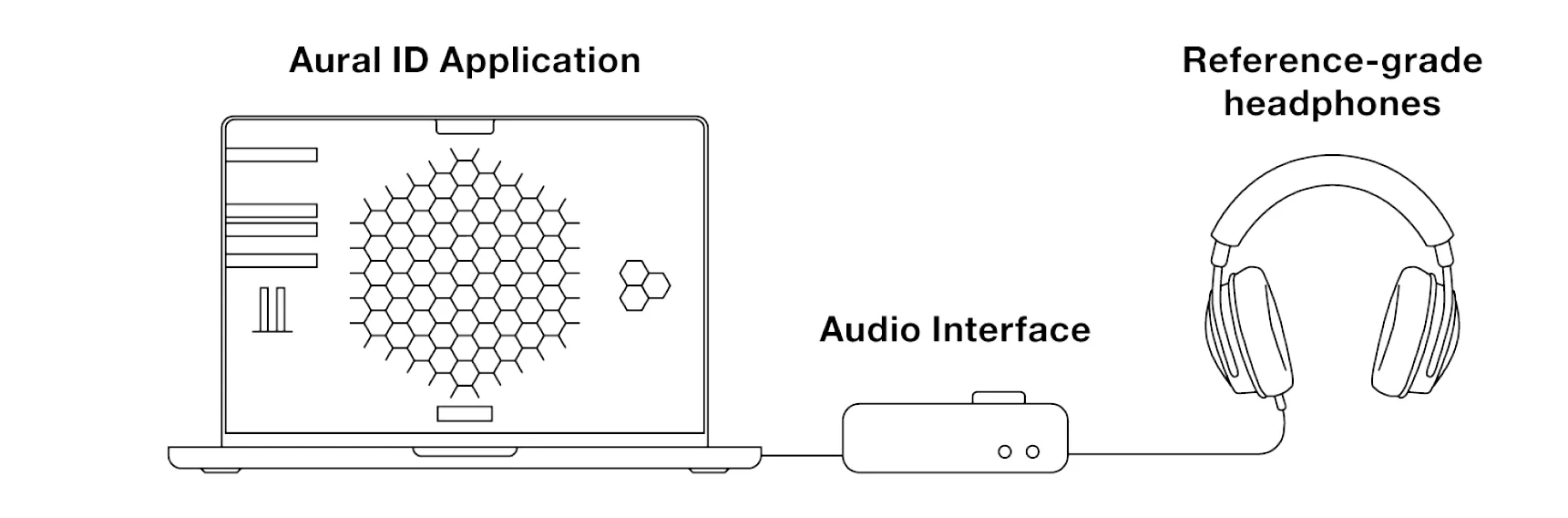
Rien de plus simple pour démarrer ! Il vous suffit d'installer l'application Aural ID sur votre Mac, de disposer d'un casque de qualité de référence et d'une sortie casque. Le profil HRTF universel KEMAR, inclus gratuitement dans le logiciel, vous permet de découvrir le monitoring virtuel binaural d'Aural ID. Veuillez noter que le profil KEMAR est générique et destiné à des fins de démonstration. Pour obtenir une précision optimale, il est nécessaire de passer à votre profil HRTF Aural ID personnalisé, élaboré à partir de mesures précises de vos oreilles, de votre tête et de votre buste.
N'oubliez pas de profiter de notre période d'essai de 30 jours !
Comment ça fonctionne


Dans MyGenelec, naviguez vers boutique, activez votre licence Aural ID et achetez votre unique profil HRTF.
Puis allez sur downloads et chargez Aural ID Application.
Adjutez les réglages dans Aural ID Application avec notre Guide de configuration rapide
Découvrez ces éléments
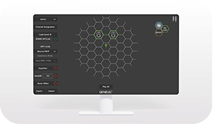

Avancé
Haute précision
Ce dont vous avez besoin :
- Application Aural ID
- Votre profil HRTF Aural ID unique
- Casque de qualité de référence
- Interface audio
Avancé
Haute précision
Ce dont vous avez besoin :
- Application Aural ID
- Votre profil HRTF Aural ID unique
- Casque de qualité de référence
- Interface audio
Configuration avancée

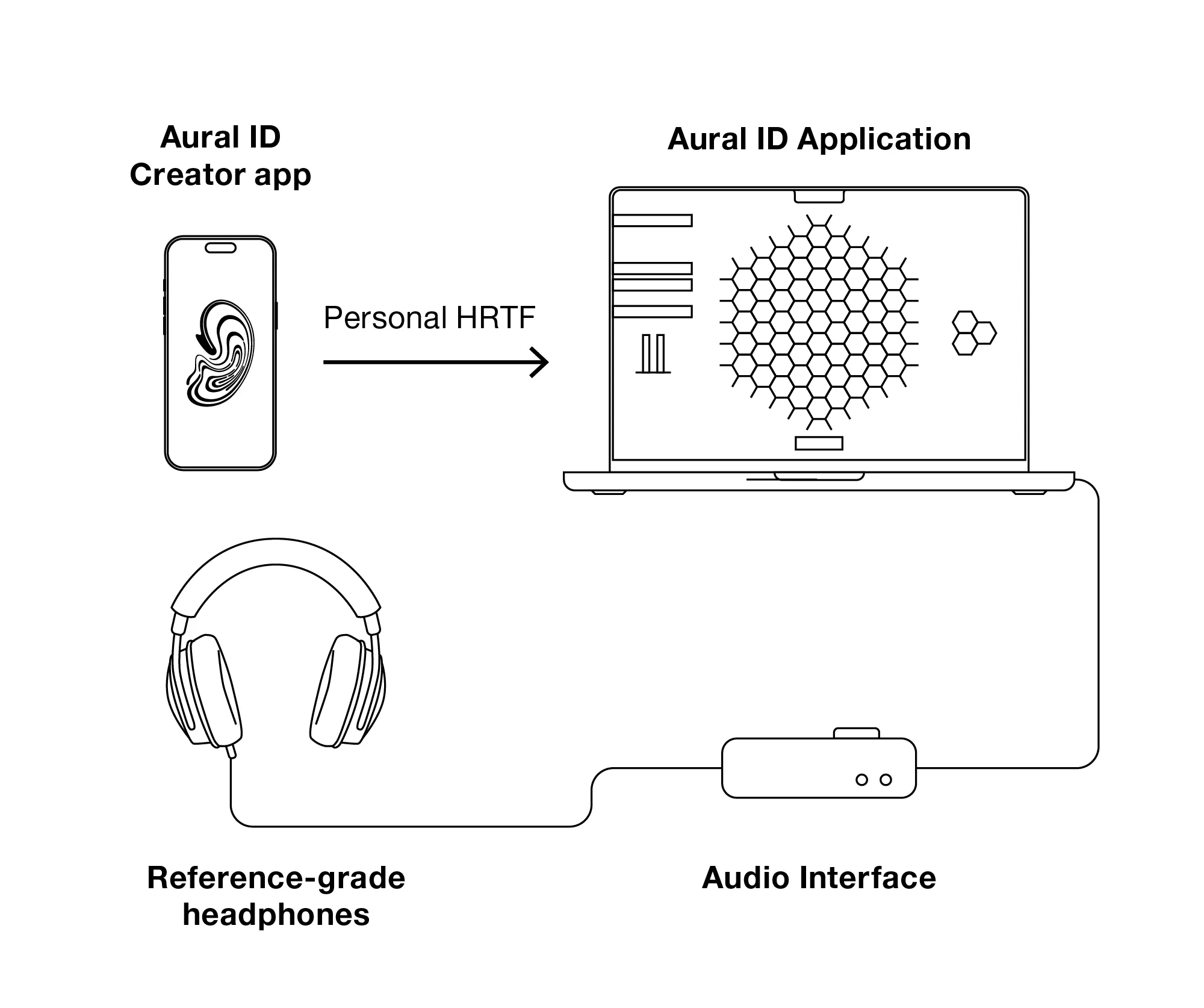
Comment ça fonctionne
Dans MyGenelec, accédez à la boutique, activez votre licence Aural ID et achetez votre profilHRTF.
Rendez-vous ensuite dans Téléchargements et téléchargez l’application Aural ID.

Installez l’application Genelec Aural ID Creator depuis l’Apple App Store ou le Google Play Store , puis connectez-vous à votre compte MyGenelec.
Créez votre profil HRTF en suivant les instructions fournies dans l’application.

Créez votre profil HRTF en suivant les instructions fournies dans l’application. Il est recommandé de demander à un ami de vous aider à réaliser les prises de vue nécessaires.


Nos experts vérifieront et traiteront vos données, et vous contacteront si nécessaire.
Nous vous informerons par e-mail lorsque votre profil HRTF Aural ID sera prêt.
Réglez les paramètres de l’application Aural ID à l’aide de notre Guide de configuration rapide
Découvrez ces éléments


Ultime
Une précision absolue
Ce dont vous avez besoin :
- L'application et le capteur de suivi de tête (Head Tracker) Aural ID
- Votre profil HRTF Aural ID unique
- Un système de monitoring de référence personnel (PRM)
- Le logiciel GLM
Ultime
Une précision absolue
Ce dont vous avez besoin :
- L'application et le capteur de suivi de tête (Head Tracker) Aural ID
- Votre profil HRTF Aural ID unique
- Un système de monitoring de référence personnel (PRM)
- Le logiciel GLM
Configuration stéréo ultime
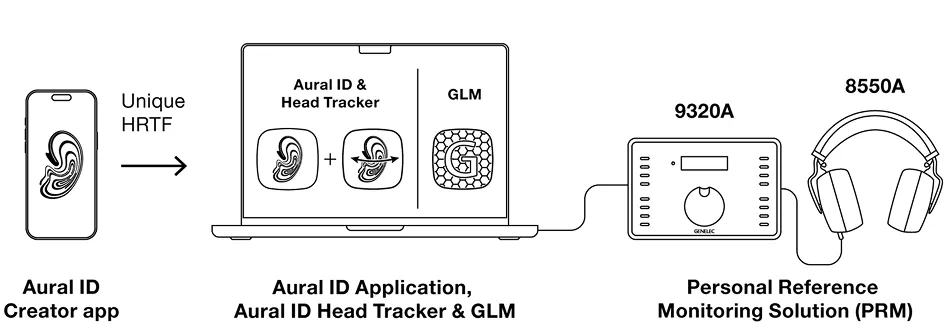
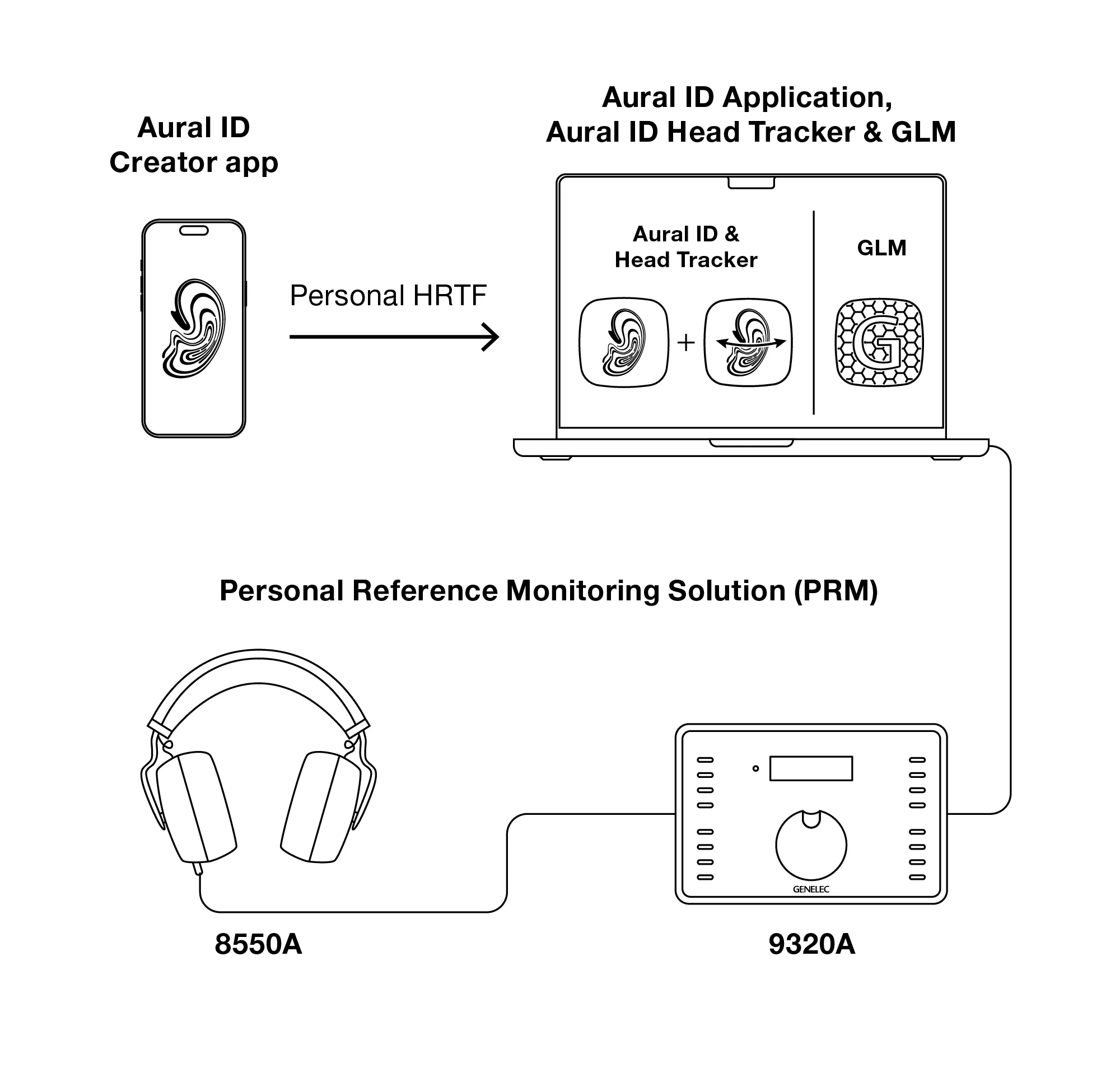
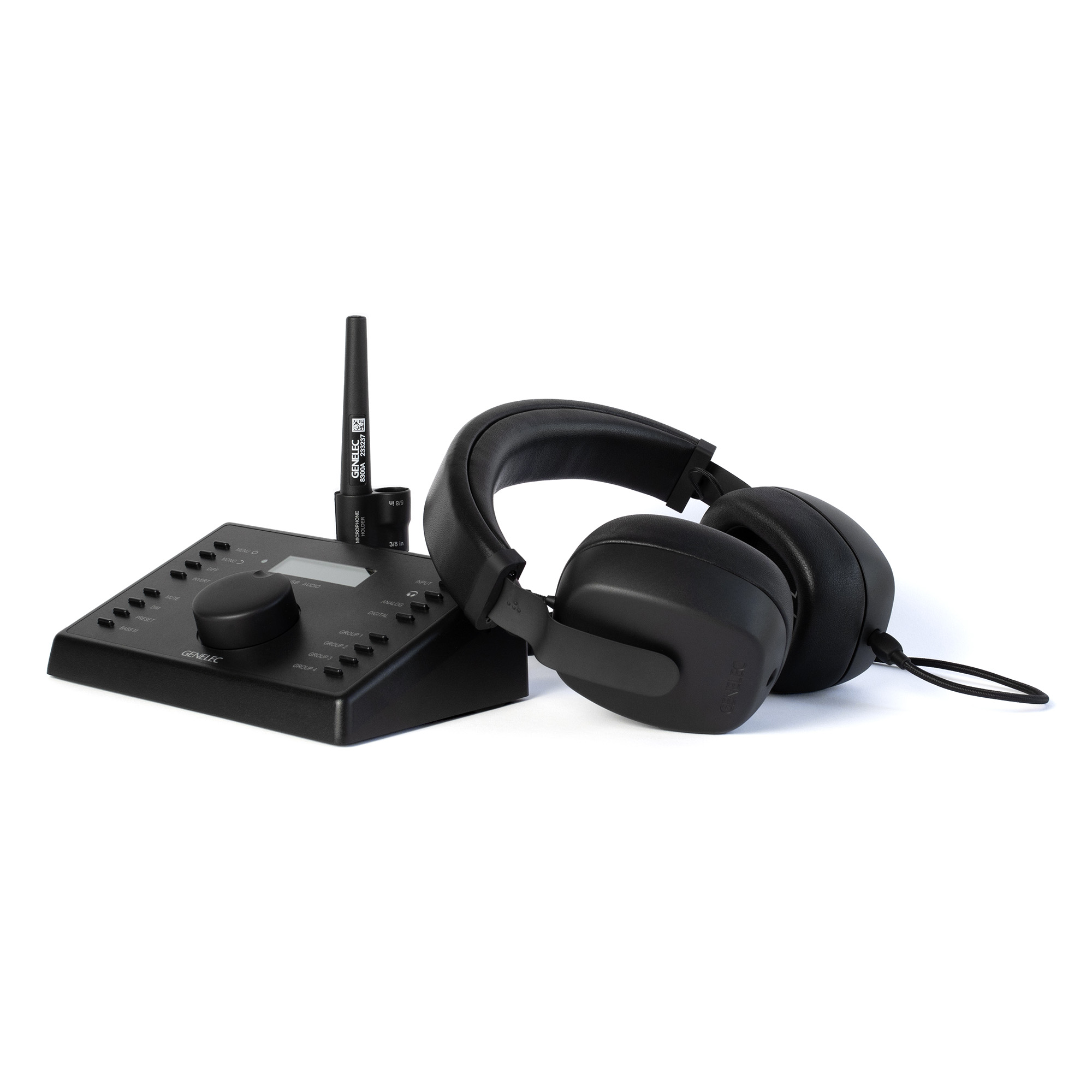
Pour une précision totale au casque — de la stéréo à l’audio immersif — cette configuration réunit tout ce dont vous avez besoin. Votre profil HRTF Aural ID unique, créé à l’aide de notre application mobile conviviale, garantit que les moniteurs virtuels sont restitués de manière parfaitement adaptée à votre morphologie auditive, tandis que l’Aural ID Head Tracker les maintient dans une position fixe lorsque vous bougez. Notre solution Personal Reference Monitoring (PRM) fournit le matériel optimal : une interface de sortie audio et un casque de la plus haute qualité, appairés et calibrés en usine. Ensemble, ces éléments offrent un monitoring au casque sans coloration, spatialement fidèle et d’une précision inégalée.
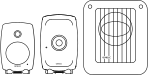
Ajoutez la référence ultime
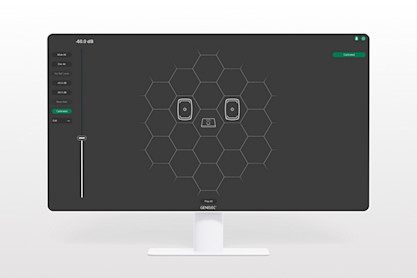
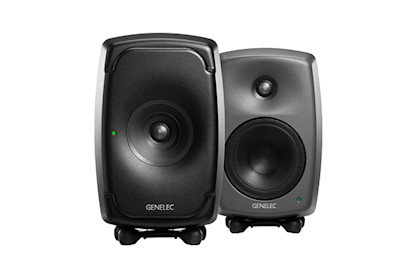
Pour bénéficier d’une précision supérieure avec l’application Aural ID et passer de la manière la plus fluide possible du monitoring en salle au monitoring au casque, nous recommandons d’utiliser nos moniteurs intelligents Smart Active Monitors (SAM™) comme référence.
Comment ça fonctionne

Procurez-vous une solution Personal Reference Monitoring auprès de votre revendeur Genelec préféré:www.genelec.com/where-buy
Dans MyGenelec, accédez à la boutique, activez votre licence Aural ID et achetez votre ptofilHRTF.
Rendez-vous ensuite dans Téléchargements et téléchargez l’application Aural ID.
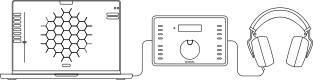
Configurez et calibrez votre solution PRM avec GLM en suivant les instructions du Guide de configuration rapide inclus dans l’emballage.
Installez l’application Genelec Aural ID Creator depuis l’Apple App Store ou le Google Play Store puis connectez-vous à votre compte MyGenelec.
Créez votre profil HRTF en suivant les instructions fournies dans l’application.
Créez votre profil HRTF en suivant les instructions fournies dans l’application. Il est recommandé de demander à une autre personne de vous aider à réaliser les prises de vue nécessaires.
Nos experts vérifieront et traiteront vos données, et vous contacteront si nécessaire.
Nous vous informerons par e-mail lorsque votre profil HRTF Aural ID sera prêt.
Réglez les paramètres de l’application Aural ID à l’aide de notre Guide de configuration rapide

Lancez Aural ID Head Tracker.
En associant les technologies Aural ID et la solution PRM à nos Smart Active Monitors, vous bénéficiez de la meilleure référence possible, aussi bien sur enceintes qu’au casque. www.genelec.com/sam-studio-monitors-subwoofers
Découvrez ces éléments
How to Order Your Personal HRTF
Dans MyGenelec, naviguez vers shop, activez votre licence Aural ID et achetez votre profil HRTF unique.
Puis allez sur downloads et téléchargez l' Aural ID Application.
Installez Genelec Aural ID Creator app dans Apple App Store or Google Play Store et connectez-vous à votre compte MyGenelec.
Créez votre profil HRTF en suivant les instructions fournies dans l'application.
Nos experts vérifieront et traiteront vos données, et vous contacteront si nécessaire.
Nous vous informerons par e-mail lorsque votre Aural ID HRTF sera prêt.
Guide and Get Started ›
Aural ID 2.1 Quick Setup Guide
Regardez notre vidéo de configuration rapide
Marcel Schechter, expert chez Genelec, présente les nouvelles fonctionnalités de l'application Aural ID 2.1 et explique comment configurer le logiciel.
More About Aural ID Technology


FAQ
You can use any pair of reliable professional quality headphones with Aural ID Application 2.1. Certain headphone models are supported for the Full HRTF mode.
Yes, you can evaluate Aural ID Application 2.1 before purchasing it. A 30-day free trial with full functionality is available, which allows you to explore how the software can enhance your workflow. This trial enables all aspects of the software and provides access to Kemar and KU100 head HRTF information. After the trial, the application is available via either an annual subscription or a perpetual licence.
Aural ID Technology improves the listening experience by addressing the variability of human hearing through the use of a personal (your own) Head-Related Transfer Function (HRTF). By accounting for an individual’s unique way of perceiving the direction and colour of audio, the software transforms headphone output into a more neutral and truthful listening experience. This is crucial for achieving uncompromised monitoring accuracy, allowing professionals to trust every detail they hear whether they are mixing stereo music or crafting complex immersive audio.
For immersive audio production, the technology enhances the reliability of critical decisions involving object placement, spatial adjustments, and three-dimensional sound imaging. This ensures that spatial positioning, depth, and tonal balance remain consistent when a mix is played back on systems outside of the studio. In stereo production, Aural ID Application improves the experience by mitigating common headphone challenges such as spectral imbalance and listener fatigue. By enabling access to a natural and balanced frequency response tailored to the specific user, it allows for clearer judgment of EQ, dynamics, and stereo imaging.
The software bridges the gap between headphone and loudspeaker monitoring by offering an exhaustive set of tools for personal calibration of virtual loudspeaker positioning (azimuth and elevation) and subjective sound colour. Features like head tracking and low frequency envelopment controls further refine the experience, providing a more intuitive and fluid creative environment that simulates a traditional monitor setup. Overall, enhancements in Aural ID Application provide audio professionals with the confidence to deliver content that meets high standards, regardless of their physical location.
Using the generic Kemar and KU100 head HRTF information Aural ID Application can be immediately used. The software comes with an intuitive and fast personal calibration process, allowing alignment of azimuth and elevation positions of every individual virtual monitor, their levels and the complete playback system sound colour, and this makes even the generic HRTFs accurate for monitoring.
Aural ID Application is specifically designed to use your own Head-Related Transfer Function (HRTF) to provide the most accurate and truthful listening experience by reflecting your unique way of hearing the direction and colour of audio. For this, Aural ID requires you to submit data, such as a video and photos of your upper torso, head and ears, to Genelec’s cloud calculation service to generate your own HRTF profile. The data capture is done using the Genelec Aural ID Creator mobile app.
Aural ID Application 2.1 is available through two primary purchasing models: an annual subscription and a perpetual licence. A 30-day free trial is offered, which allows users to evaluate all aspects of the software using generic Kemar and KU100 head HRTF information before making a purchase.
Regarding platform availability, the application supports Mac OS on both modern Apple Silicon and certain Intel CPU computers. It functions as independent software that installs as a virtual sound card on your system.
Please note that specific pricing figures are available on the Genelec website, at genelec.com/aural-id.
Application Aural ID au sein de l'écosystème de monitoring audio UNIO
L'association de l'application Aural ID avec d'autres éléments de notre écosystème de monitoring audio UNIO permet de créer une configuration idéale et d'assurer la transition la plus fluide possible entre le monitoring au casque et celui sur enceintes.
En savoir plus ›
Documentation
Documents
Aural ID 2.1 Quick Setup Guide (pdf) Aural ID 2.1 Software Release Note Aural ID 2.1 System Operating ManualFAQ
You can use any pair of reliable professional quality headphones with Aural ID Application 2.1. Certain headphone models are supported for the Full HRTF mode.
Yes, you can evaluate Aural ID Application 2.1 before purchasing it. A 30-day free trial with full functionality is available, which allows you to explore how the software can enhance your workflow. This trial enables all aspects of the software and provides access to Kemar and KU100 head HRTF information. After the trial, the application is available via either an annual subscription or a perpetual licence.
Aural ID Technology improves the listening experience by addressing the variability of human hearing through the use of a personal (your own) Head-Related Transfer Function (HRTF). By accounting for an individual’s unique way of perceiving the direction and colour of audio, the software transforms headphone output into a more neutral and truthful listening experience. This is crucial for achieving uncompromised monitoring accuracy, allowing professionals to trust every detail they hear whether they are mixing stereo music or crafting complex immersive audio.
For immersive audio production, the technology enhances the reliability of critical decisions involving object placement, spatial adjustments, and three-dimensional sound imaging. This ensures that spatial positioning, depth, and tonal balance remain consistent when a mix is played back on systems outside of the studio. In stereo production, Aural ID Application improves the experience by mitigating common headphone challenges such as spectral imbalance and listener fatigue. By enabling access to a natural and balanced frequency response tailored to the specific user, it allows for clearer judgment of EQ, dynamics, and stereo imaging.
The software bridges the gap between headphone and loudspeaker monitoring by offering an exhaustive set of tools for personal calibration of virtual loudspeaker positioning (azimuth and elevation) and subjective sound colour. Features like head tracking and low frequency envelopment controls further refine the experience, providing a more intuitive and fluid creative environment that simulates a traditional monitor setup. Overall, enhancements in Aural ID Application provide audio professionals with the confidence to deliver content that meets high standards, regardless of their physical location.